
Last Verified: May 2026 | By SimOwner.net.pk Editorial Team — Pakistan’s SIM security specialists since 2015
Pakistan has one of the highest dual SIM phone usage rates in the world. Walk into any mobile shop in Lahore, Karachi, or Islamabad and the vast majority of Android devices on display are dual SIM. Most Pakistanis carry two SIMs — often from different networks for coverage or cost reasons — and switch between them for calls, data, and messaging without giving much thought to which SIM is in which slot.
That thoughtlessness is costing some of them their bank accounts.
The SIM you use for banking OTPs, JazzCash transactions, and mobile wallet access is a high-value fraud target. The SIM you use for general calls and social media is a different target profile entirely. Treating both SIMs identically — giving out the OTP number publicly, using it for everything — creates unnecessary risk that is easy to eliminate with a simple, deliberate security setup.
This guide explains exactly how to configure your dual SIM phone in Pakistan for maximum security, which SIM should handle which functions, what the security differences between SIM 1 and SIM 2 are on most Pakistani devices, and how to implement a separation strategy that dramatically reduces your fraud exposure. Before configuring your SIM security, verify both SIMs are correctly registered on your CNIC at SimOwner.net.pk.
Why SIM Security Configuration Matters on Dual SIM Phones
The core principle is straightforward: not all uses of your phone number carry equal fraud risk. By deliberately separating high-risk from low-risk uses across your two SIMs, you contain the damage radius of any single SIM compromise.
The High-Risk SIM Functions
These functions make a SIM a primary fraud target:
Banking OTPs: When your bank sends a one-time password for transaction authorization, it goes to your registered number. A SIM swap, MNP fraud, or SS7 interception targeting this number enables financial fraud.
JazzCash/Easypaisa wallet: Your mobile wallet is directly linked to your SIM. Whoever controls your SIM number can trigger wallet OTPs.
Raast ID: Your Raast instant payment ID is typically your phone number. The SIM linked to Raast is a direct financial target.
WhatsApp: Your WhatsApp is linked to your phone number — SIM compromise enables WhatsApp takeover.
The Lower-Risk SIM Functions
These functions are less sensitive from a financial fraud perspective:
General incoming/outgoing calls: People calling you on your public number.
Social media SMS verification: Instagram, Facebook, Twitter account SMS codes — losing these is inconvenient but not financially devastating.
Family and social communication: Regular calls and messages with contacts.
Data usage: Internet browsing and app usage.
The dual SIM security strategy assigns high-risk functions to one SIM and lower-risk functions to the other — with different security postures for each.
The Pakistan Dual SIM Security Framework
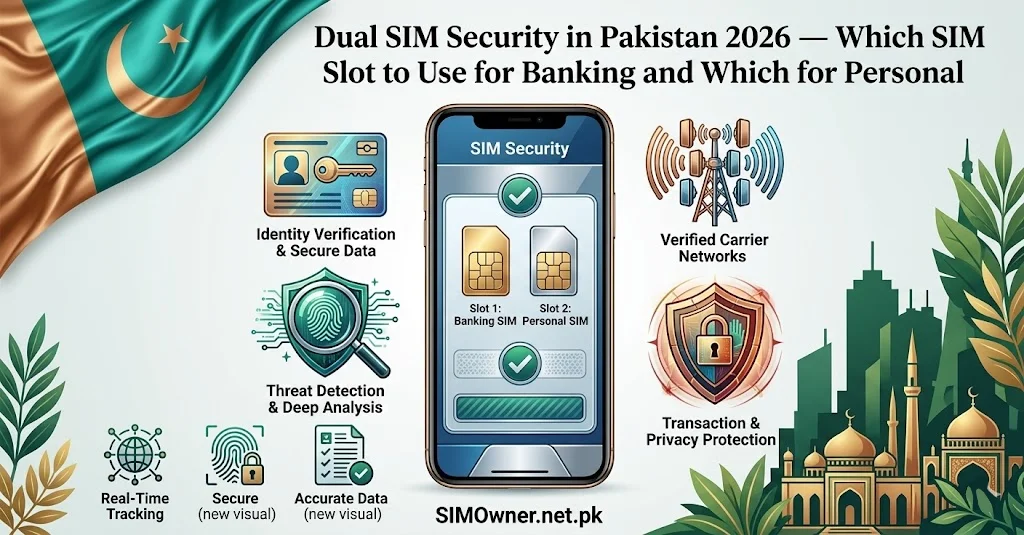
SIM 1 — The Security SIM (Private, Restricted)
Purpose: Banking OTPs, JazzCash/Easypaisa, Raast, WhatsApp, email 2FA
Key characteristics:
- This number is kept private — shared only with your bank and essential financial services
- Not used for general calls or given to shops, service providers, or casual contacts
- Not posted on social media, business cards, or online profiles
- Not used for signing up to non-essential apps or services
Why keeping it private matters: Criminals cannot target a SIM for swap or MNP fraud if they do not know the number. A number that is not in breach databases, not given to franchise employees, and not publicly visible is significantly harder to target than your main public number.
Which slot: Put this in SIM Slot 1 on most Android phones — SIM 1 typically gets priority data and is the default for calls and SMS. This ensures banking OTPs are delivered to SIM 1 first. (Verify your specific device’s slot priority in Settings → SIM Cards.)
SIM 2 — The Public SIM (Shared, General Use)
Purpose: General calls, public contact number, data SIM, social media, non-financial app verification
Key characteristics:
- This is the number you give to everyone — shops, service providers, new contacts, business cards
- Used for general daily communication
- Can be on a cheaper data plan
- If this SIM is SIM-swapped or compromised, the financial damage is minimal because no banking or wallet access is linked to it
Why this structure works: Even if a criminal performs a SIM swap on your public SIM 2 number, they gain access only to general communication — not your bank OTPs or JazzCash wallet. The financial attack surface is eliminated.
Practical Implementation on Pakistani Phones
Android Dual SIM Settings (Most Pakistani Phones)
Most Pakistani users have Android phones. Here is how to configure dual SIM security on Android:
Access SIM Settings: Settings → Network & Internet → SIM Cards (or Dual SIM Settings)
Configure Default SIM assignments:
| Function | Recommended Assignment |
|---|---|
| Default for calls | SIM 2 (public number) |
| Default for SMS | SIM 1 (security SIM) — ensures OTPs arrive here |
| Default for data | SIM 2 (to protect SIM 1 from data breach exposure) |
| International calls | SIM 2 |
Why SMS default on SIM 1: Banking OTPs arrive via SMS. Setting SIM 1 as the default SMS receiver ensures that when your bank sends an OTP, it arrives on your private security SIM — not your public SIM 2.
Per-app SIM assignment: Some Android versions (particularly Samsung and Xiaomi — popular in Pakistan) allow per-app SIM assignment. For JazzCash and Easypaisa apps, assign them specifically to SIM 1 in app settings if this option exists.
iPhone Dual SIM / eSIM Settings
iPhones in Pakistan increasingly use one physical SIM + one eSIM. iOS dual SIM management:
Settings → Cellular → select which line for default:
- Default Voice Line: SIM 2 (public)
- Default Data Line: SIM 2
- Allow Cellular Data Switching: Off (prevents automatic switching that could expose SIM 1)
Per-app line selection: In iOS, you can set which line specific apps use for cellular data — assign financial apps to SIM 1’s line.
Samsung Dual SIM (Specific Settings — Popular in Pakistan)
Samsung Galaxy phones (A-series, M-series — extremely common in Pakistan) have particularly detailed dual SIM management:
Settings → Connections → SIM Card Manager:
- SIM 1: Label as “BANK/SECURE” (literally rename it in the app)
- SIM 2: Label as “PUBLIC/CALLS”
- Preferred SIM for calls: SIM 2
- Preferred SIM for messages: SIM 1
- Preferred SIM for data: SIM 2
Samsung also allows caller-specific SIM assignment — you can set specific contacts to always be called on SIM 1 (for the rare cases where you need to call your bank directly).
Setting Up the Security SIM — Which Network to Choose
Your Security SIM (SIM 1) should be on a network with the strongest fraud protection measures. Consider:
Network fraud flag capability: As described in our guides on Jazz, Telenor, and Ufone, you can request a fraud flag on your account requiring enhanced in-person verification for any account changes. Do this for your Security SIM on whichever network you choose.
Network security features: Ask the operator specifically about account-level security features — verbal password, SIM replacement verification requirements, account lock features.
Coverage in your primary locations: For a SIM that receives critical OTPs, consistent coverage in your home and workplace is essential. A dropped OTP at a critical banking moment is a problem.
Separate network from your data SIM: If SIM 1 (security) is Jazz and SIM 2 (public) is Zong, an attack on the Zong network infrastructure does not affect your Jazz banking SIM. Network diversification adds a layer.
Registering Financial Services on the Security SIM
Once you have established the dual SIM structure, migrate your financial services to SIM 1:
JazzCash
If your JazzCash is currently linked to SIM 2 (your public number), migrating it to SIM 1 requires:
- Visiting a Jazz Experience Center
- CNIC and biometric verification
- Requesting mobile wallet number change
Note: JazzCash is inherently linked to a Jazz SIM — if your Security SIM is on a different network, JazzCash stays on Jazz. In this case, ensure Jazz SIM is your Security SIM (or keep JazzCash balance minimal if Jazz must be on SIM 2).
Bank OTP Number Update
Contact each of your banks and update the registered mobile number to your Security SIM number:
- Visit bank branch with CNIC
- Request “registered mobile number change” for OTP delivery
- Provide your SIM 1 (Security SIM) number as the new OTP number
Raast ID Update
Your Raast ID can be either your phone number or CNIC. If phone number-based:
- Update through your bank’s mobile app (Settings → Raast → Update ID) or branch visit
- Change to your Security SIM number
WhatsApp Migration to Security SIM
If you want WhatsApp on your Security SIM:
- Open WhatsApp → Settings → Account → Change Number
- Old number: your current WhatsApp number (SIM 2)
- New number: your Security SIM number (SIM 1)
- Verify with OTP on SIM 1
Your chat history, groups, and contacts transfer automatically.
The Security SIM — What NOT to Use It For
Discipline in keeping the Security SIM private is as important as the technical configuration:
Never give SIM 1 number to:
- Shops and pharmacies asking for “your number” at checkout
- Online shopping sites for delivery notifications
- Loyalty program registrations
- New acquaintances and casual contacts
- Social media profile phone number fields
- Any service where you are unsure of their data security
Never use SIM 1 for:
- Posting in public WhatsApp groups
- Registering on promotional websites
- Signing up for free trials or contests
- Public-facing business communication (use SIM 2 for this)
Every entity that knows your SIM 1 number is a potential source of that number entering breach databases. The smaller the circle of entities that know SIM 1, the more secure it remains.
Monitoring Both SIMs — Verification Best Practices
After setting up your dual SIM security structure, monitor both SIMs regularly:
Monthly 668 check: Send your CNIC to 668 to confirm both SIMs are still registered on your CNIC and no unauthorized SIMs have appeared. Use the SIM database verification at SimOwner.net.pk to track and interpret results.
Transaction notification monitoring: Enable push notifications for every transaction on all financial accounts linked to SIM 1. Real-time alerts let you detect any unauthorized access within seconds.
Network account security check: Periodically call the operator for SIM 1 and confirm the fraud flag is still in place on your account.
Understanding your SIM information: Keep current with how your SIMs are registered and what information is linked to each using the SIM information resources at SimOwner.net.pk.
What to Do If Your Security SIM Is Compromised
Despite precautions, if SIM 1 (Security SIM) is SIM-swapped:
- Detect: You will notice SIM 1 loses signal while SIM 2 continues working normally — this asymmetry is immediately visible on a dual SIM phone
- Act immediately: Call your bank fraud lines, JazzCash, and your network’s fraud line — all from SIM 2 which is still working
- Advantage of dual SIM: SIM 2 remains active for making emergency calls — you are not completely cut off as you would be with a single SIM phone
This is an additional security benefit of the dual SIM structure — even if SIM 1 is compromised, SIM 2 gives you immediate communication capability to respond.
Frequently Asked Questions
Q: Should I use a cheap SIM just for banking OTPs? A: Yes — this is exactly the Security SIM concept. A SIM you use only for banking and financial OTPs, on a plan with minimal features (basic SMS capability is all you need), registered at a number not publicly known. Even a Rs. 50 SIM card serves this purpose.
Q: Can I have WhatsApp on both SIMs? A: WhatsApp allows only one account per number — but you can have different numbers on each SIM, each with their own WhatsApp. WhatsApp Business on one SIM and personal WhatsApp on another is a valid setup. Alternatively, use WhatsApp on SIM 2 (public) since it is a communication tool, keeping SIM 1 strictly for financial OTPs.
Q: My phone only has one SIM slot but supports eSIM. Does this apply? A: Yes — replace “SIM 2” with “eSIM” in this guide. The security principle is identical. Use the physical SIM for your Security SIM (harder to swap) and the eSIM for public/general use — or vice versa based on which network you want for each role.
Q: Is it worth the hassle of maintaining two separate SIM identities? A: Pakistani banking fraud via SIM swap costs victims an average of Rs. 30,000–500,000 per incident based on documented FIA cases. Setting up the dual SIM security structure takes approximately 2 hours (updating bank numbers, migrating WhatsApp, configuring settings). The return on that 2-hour investment is permanent significant reduction in your financial fraud exposure.
Q: If my Security SIM is on Jazz, does my bank OTP still work even if I am using Zong data? A: Yes. SMS OTPs are delivered via your SIM’s SMS capability — independent of which SIM is providing your internet data. Even if SIM 2 is your active data SIM, OTPs arrive on SIM 1 because your bank’s registered number is SIM 1’s number.
Q: Can I have Raast on both SIM numbers? A: You can have different bank accounts linked to different Raast IDs (phone numbers). However, having your primary bank accounts on SIM 1 (Security SIM) and only secondary/less important accounts on SIM 2 follows the security principle correctly.
Summary: Dual SIM Security Setup Checklist
SIM 1 (Security SIM) — Private:
- Dedicated to banking OTPs, JazzCash, Raast, WhatsApp
- Number shared ONLY with bank, wallet, and essential services
- Fraud flag added at operator level
- Set as default SMS SIM in phone settings
- NOT used for calls, public contact, or social signups
SIM 2 (Public SIM) — General:
- Used for all calls, public contact number
- Used for data browsing
- Given to shops, services, casual contacts
- Social media and non-financial app registrations
Monthly monitoring:
- 668 check — both SIM numbers reflected on CNIC
- SimOwner.net.pk status check
- Transaction notification alerts active on financial accounts
For Pakistan’s most comprehensive SIM security guidance, verification tools, and fraud prevention resources, visit Sim Owner Details — Pakistan’s trusted SIM information resource since 2015.
Device-specific settings based on Android and iOS versions current as of May 2026. Operator features subject to change. SimOwner.net.pk is not affiliated with any network operator or device manufacturer.
Related Guides on SimOwner.net.pk:
- NADRA MBVS — How Biometric Verification Protects Your SIM
- eSIM Security Pakistan — Can eSIM Be Swapped?
- SS7 Attack — Can Pakistani SMS OTPs Be Intercepted?
- SIM Replacement After Phone Lost or Stolen in Pakistan — Complete Official Guide 2026
- Second-Hand SIM Risks in Pakistan — How to Verify Before Using a Pre-Owned SIM (2026)
1 thought on “Dual SIM Security in Pakistan 2026 — Which SIM Slot to Use for Banking and Which for Personal”