
Last Verified: May 2026 | By SimOwner.net.pk Editorial Team — Pakistan’s SIM verification specialists since 2015
Every Pakistani mobile subscriber should know exactly how many SIMs are registered on their CNIC — which networks, which numbers, and whether all of them are ones they actually registered. This single piece of information is the foundation of SIM fraud detection: if you know what should be there, you immediately recognize what should not be.
Pakistan offers multiple official methods to check SIM information linked to your CNIC number — some instant and free via SMS, others via web portal or operator-level queries. This guide covers every method comprehensively, explains exactly what information each method returns, how to interpret the results, and what actions to take based on what you find.
This is a high-utility guide for every Pakistani mobile user — whether you are proactively monitoring for fraud, investigating a suspected unauthorized SIM, or simply wanting to understand your current SIM registration picture. All methods described are official, free, and safe to use.
Start at SimOwner.net.pk for the context and guidance framework before running your checks — understanding what you are looking for makes each method more actionable.
Why Checking SIM Information With Your CNIC Matters
Pakistan’s SIM Fraud Context
Pakistan’s mandatory biometric SIM registration links every active SIM to a CNIC — making the CNIC the master key that unlocks information about all registered SIMs. This same linkage that protects against anonymous fraud also means that anyone who gains access to your CNIC can attempt to misuse it for SIM registration.
Checking SIM information with your CNIC regularly gives you:
Fraud detection: Unauthorized SIMs appear in the check before you experience any direct impact — giving you time to act preventively.
Limit management: The 8-SIM-per-CNIC limit means knowing your current count is necessary before registering a new SIM.
Estate management: For deceased family members’ CNICs — checking SIM information confirms what needs to be deactivated.
Security baseline: Knowing your current SIM picture is the baseline against which you detect any future changes.
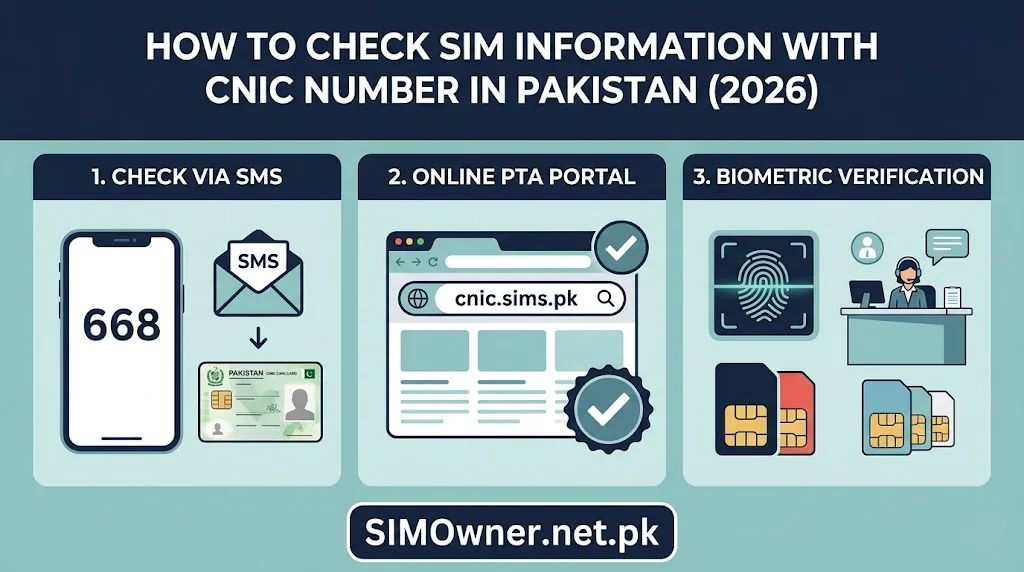
Method 1 — SMS to 668 (PTA Official, Free, Instant)
The 668 SMS service is PTA’s official, free, real-time SIM registration check linked to Pakistan’s SVMS (Subscriber Verification Management System).
How to Use 668
From any Pakistani mobile number, compose an SMS:
- Message content: Your 13-digit CNIC number without dashes or spaces
- Example:
3520112345671 - Send to: 668
Cost: Free — no SMS charge applies to 668 queries.
Available: 24 hours, 7 days a week.
Response time: Typically 15–60 seconds. During peak hours, up to 2–3 minutes.
What the 668 Response Contains
The 668 response SMS will show something like:
“SIMs registered on CNIC 35201-1234567-1: 1. Jazz: 0300-XXXXXXX 2. Zong: 0311-XXXXXXX 3. Telenor: 0345-XXXXXXX Total: 3 SIMs”
(Exact format may vary by PTA system updates — the core information remains CNIC-linked SIM count and numbers by network.)
Information provided:
- Total number of SIMs currently registered on the CNIC
- Phone number for each SIM
- Network operator for each SIM (Jazz, Zong, Telenor, Ufone, SCO/ONIC)
Information NOT provided:
- SIM registration date
- SIM status (active/inactive/blocked)
- Registration location
- Whether biometric verification was properly completed
Interpreting 668 Results
Expected result: You see exactly the SIM numbers you know you registered — nothing more, nothing less.
Action required if:
| Finding | Action |
|---|---|
| More SIMs than expected | Report unauthorized SIM(s) to relevant network fraud line + FIA + PTA |
| Fewer SIMs than expected | One of your SIMs may have been deactivated — call relevant network |
| Different numbers than expected | May indicate SIM swap — investigate immediately |
| “No SIMs registered” on a CNIC you know has SIMs | SVMS lookup issue — retry in 1 hour; if persistent, call PTA 0800-55055 |
Method 2 — PTA Web Portal (cnic.sims.pk)
PTA’s official web portal provides the same SVMS data as 668 but in a web interface — useful for printing, screenshotting with clear formatting, or checking from a computer.
How to Use cnic.sims.pk
- Visit cnic.sims.pk in any web browser
- Enter your 13-digit CNIC number in the field provided
- Complete any CAPTCHA verification
- Click “Check” or equivalent submit button
- Results display on screen
Cost: Free.
Device: Works on any device with internet access — smartphone, tablet, laptop, desktop.
What it shows: Same as 668 — all SIMs currently registered on the CNIC, by number and network.
Advantage over 668: Results can be screenshotted with clear formatting, saved as PDF, or printed for use as evidence in complaints. The web portal result is more clearly formatted than an SMS response.
Method 3 — Operator-Specific CNIC Queries (More Detailed)
Individual network operators can provide more detailed SIM information for SIMs on their network registered to your CNIC — information that goes beyond what 668 and cnic.sims.pk show.
What Operators Can Tell You (That 668 Cannot)
- SIM registration date — exact date your SIM was registered
- SIM status — active, inactive, blocked, or suspended
- Postpaid balance — for postpaid SIMs
- Active packages — which data or call packages are active
- Last activity date — when the SIM last made a call or used data
How to Request Operator-Level SIM Information
Jazz: Call 111-225-111 | Say: “I need the registration details for all Jazz SIMs on my CNIC [XXXXX-XXXXXXX-X]”
Zong: Call 310 | Same request
Telenor: Call 345 | Same request
Ufone: Call 333 | Same request
Verification required: Your CNIC number and either your registered address or a security answer. The agent verifies you are the CNIC holder before sharing account details.
In-person for full details: For the most complete information — including registration location and verification method — visit the operator’s service center with your original CNIC and biometric.
Method 4 — NADRA-Based CNIC Verification (System Access Level)
NADRA’s Verisys system — the same system that operators use during SIM registration — provides authoritative CNIC verification. While individuals cannot directly query Verisys, NADRA Registration Centres can confirm your CNIC’s current registration status including any fraud annotations.
What you can check at NADRA:
- CNIC validity and active status
- Whether a fraud flag annotation is on your record
- Whether the CNIC has been reported as deceased
- Basic family registration information
How: Visit any NADRA Registration Centre with original CNIC. Ask for a “CNIC status check.”
This is most relevant when you suspect your CNIC has been cancelled, flagged, or otherwise modified without your knowledge.
Method 5 — PTA Helpline Query (0800-55055)
PTA’s toll-free helpline can manually query your CNIC’s SIM registration status — providing the same base information as 668 but with the ability to ask follow-up questions and get explanations.
Use this method when:
- 668 SMS returns an error or unexpected response
- You want to ask PTA about a specific SIM in your 668 results
- You need verbal confirmation of your SIM count for a formal complaint
Call: 0800-55055 (toll-free from any Pakistani phone) Hours: Monday–Friday, 9am–5pm
Understanding Your SIM Information Results — Complete Guide
The 8-SIM Limit — Are You Close?
Pakistan’s 8-SIM-per-CNIC limit means your 668 result shows your utilization:
| 668 Shows | Status | Action |
|---|---|---|
| 1–5 SIMs | Comfortable | No action needed |
| 6–7 SIMs | Approaching limit | Review and deactivate unused SIMs |
| 8 SIMs | At limit | Cannot register new SIMs until one is deactivated |
| 9+ SIMs | System error or fraud | Investigate immediately — exceeds legal limit |
Note on the 9+ scenario: PTA’s systems are designed to enforce the 8-SIM limit. If 668 shows 9 or more SIMs, this indicates either:
- A system error (rare)
- SIMs registered during a brief window before enforcement kicked in (historical)
- Deliberate fraud that bypassed the limit check (call PTA immediately)
Network Prefix Guide — Identifying Which Network Each SIM Belongs To
If your 668 result does not clearly label the network, use the number prefix to identify it:
| Prefix | Network |
|---|---|
| 0300, 0301, 0302, 0303 | Jazz (formerly Mobilink) |
| 0304, 0305 | Zong |
| 0306 | Jazz |
| 0307 | Zong |
| 0308, 0309 | Zong |
| 0310, 0311, 0312, 0313 | Zong |
| 0314, 0315, 0316, 0317 | Telenor |
| 0318, 0319 | Telenor |
| 0320, 0321, 0322, 0323 | Jazz (formerly Warid) |
| 0324, 0325, 0326, 0327 | Jazz |
| 0328, 0329 | Jazz |
| 0330, 0331, 0332, 0333 | Ufone |
| 0334, 0335, 0336, 0337 | Ufone |
| 0340, 0341, 0342, 0343 | Zong |
| 0344, 0345, 0346, 0347, 0348 | Telenor |
| 0349 | Telenor |
What To Do With Your SIM Information — Action Guide
All SIMs Recognized — No Action Required
Your 668/cnic.sims.pk result matches exactly what you registered. Recommended actions:
- Screenshot the result with timestamp for your records
- Set a calendar reminder to recheck in 30 days
- If approaching the 8-SIM limit — decide which unused SIMs to deactivate
Unrecognized SIM Found — Immediate Action
An unrecognized SIM in your 668 results requires immediate action:
Step 1: Identify the network from the number prefix (table above)
Step 2: Call that network’s fraud line:
- Jazz: 111-225-111
- Zong: 310
- Telenor: 345
- Ufone: 333
Step 3: Report: “A SIM [number] is registered on my CNIC [XXXXX-XXXXXXX-X] without my knowledge. I want to report this as unauthorized and request immediate deactivation.”
Step 4: File FIA complaint at complaint.fia.gov.pk simultaneously
Step 5: File PTA complaint at complaint.pta.gov.pk simultaneously
Step 6: Consider placing a fraud flag — see our complete NADRA fraud flag guide at SimOwner.net.pk
More SIMs Than Expected — Possible Explanation First
Before assuming fraud, consider:
- SIMs registered for family members on your CNIC (common)
- Old SIMs you forgot about but did not formally deactivate
- SIMs from previous employers that were registered on your CNIC without transfer
If after considering these, you cannot account for a SIM — treat it as potentially fraudulent and follow the unauthorized SIM steps above.
Using SIM Information Tools at SimOwner.net.pk
SimOwner.net.pk provides Pakistan’s most comprehensive guidance framework for interpreting and acting on your SIM information:
The SIM information hub at SimOwner.net.pk provides context for understanding your 668 results, the 8-SIM limit implications, and network-specific guidance.
The SimOwner.net.pk homepage connects all verification tools with the fraud prevention knowledge base — making your SIM check part of a comprehensive security practice rather than a one-time action.
Building a SIM Monitoring Habit — Monthly Check Protocol
The most effective SIM fraud detection is not a one-time check — it is a monthly monitoring habit:
Step 1 — Set a monthly calendar reminder: “668 CNIC SIM Check” on the first of every month.
Step 2 — Send 668 from your primary number: Get the response and compare to last month’s.
Step 3 — Screenshot with timestamp: Save every monthly result — this creates a history that is invaluable if fraud occurs later.
Step 4 — Act on any changes: Any new SIM in this month’s result that was not in last month’s — investigate immediately.
Step 5 — Annual full audit: Once per year, do the complete check — 668, cnic.sims.pk, operator-level queries for each network — to get the most complete picture.
This 5-minute monthly practice eliminates the “I had no idea” discovery that happens to fraud victims who check their SIM status for the first time after the damage is done.
Frequently Asked Questions
Q: Can someone else check SIM information on my CNIC without my knowledge? A: The 668 service can be used by anyone to check any CNIC — it is a public-facing PTA service. This means a third party could check how many SIMs are on your CNIC if they know your CNIC number. The information returned (which SIMs are registered) is not deeply sensitive in itself, but it does confirm your CNIC number is active and has SIMs — information that can be useful in social engineering.
Q: 668 showed 5 SIMs but I can only account for 3. How do I find out which ones I do not recognize? A: Note all 5 numbers. Cross-reference each against your memory. For each unrecognized number, check the prefix table to identify the network. Call that network’s helpline and ask for registration details for that number on your CNIC. This will confirm when it was registered and potentially at which location.
Q: Does checking 668 cost any money? A: No — the 668 service is completely free. PTA does not charge for this verification service. Your operator does not charge for SMS to 668. There is no cost whatsoever.
Q: My CNIC shows “No SIMs registered” but I have active SIMs. What is wrong? A: This is rare but can happen if there is a temporary SVMS lookup issue. Wait 1–2 hours and try again. If still showing zero after multiple attempts over 24 hours, call PTA helpline at 0800-55055 — they can check your SVMS record directly.
Q: Can I check SIM information for someone else’s CNIC (a family member)? A: Yes — the 668 service does not restrict who can query it. You can check a family member’s CNIC by sending their CNIC number to 668 from your own phone. This is useful for monitoring an elderly parent’s CNIC, a minor child’s CNIC, or a deceased family member’s CNIC.
Q: How current is the 668 information — is it real-time? A: 668 queries PTA’s SVMS which is updated in near-real-time by network operators as SIMs are registered or deactivated. There may be a delay of 2–4 hours between a SIM being registered at a franchise and it appearing in 668 results — but the data is generally very current.
Summary: SIM Information Check Methods Comparison
| Method | Speed | Cost | Detail Level | Best For |
|---|---|---|---|---|
| 668 SMS | 30–60 sec | Free | Basic — numbers + network | Regular monthly monitoring |
| cnic.sims.pk | 1–2 min | Free | Same as 668 + cleaner format | Evidence documentation |
| Operator helpline | 5–15 min | Free | + Registration date, status | Investigating specific SIMs |
| Operator SSC (in-person) | 30–60 min | Free | Full details + franchise location | Fraud investigation |
| PTA helpline | 5–10 min | Free | Same as 668 + verbal explanation | When 668 fails or questions arise |
| NADRA Registration Centre | 15–30 min | Free | CNIC status + fraud annotations | CNIC-level verification |
For Pakistan’s most comprehensive SIM verification framework, fraud prevention resources, and CNIC protection guidance, visit Sim Owner Details — independently serving Pakistan’s SIM security community since 2015.
All USSD codes, portal addresses, and helpline numbers verified as of May 2026. SimOwner.net.pk is not affiliated with PTA, NADRA, or any network operator.
Related Guides on SimOwner.net.pk: