
Last Verified: Jun 2026 | By SimOwner.net.pk Editorial Team — Pakistan’s SIM registration specialists since 2015
Pakistan’s tourism has grown significantly in recent years — with visitors from China, Turkey, Central Asia, Europe, and beyond traveling for adventure tourism in the north, business in Karachi and Lahore, and cultural visits across the country. Every visitor needs mobile connectivity, and local SIMs offer dramatically better rates than international roaming.
But getting a SIM as a foreigner in Pakistan involves a different registration process than for Pakistani nationals. PTA’s mandatory identity verification still applies — you simply use a passport instead of a CNIC. This guide covers the complete process for foreign nationals and tourists to register SIM cards in Pakistan: which networks serve foreign visitors, what documents are required, the exact registration process, SIM limits, and important security considerations when using a Pakistani SIM as a visitor.
For Pakistani diaspora members visiting from abroad (NICOP holders), see our specific guide. This guide focuses on foreign nationals — non-Pakistani passport holders visiting or residing in Pakistan. Verify the SIM you obtain is correctly registered using SimOwner.net.pk verification tools as part of your registration completion.
Legal Framework for Foreign National SIM Registration
PTA’s Subscriber Registration Regulations allow SIM registration for foreign nationals under a framework separate from the CNIC-based system used for Pakistani nationals. Key provisions:
Identity document: Foreign nationals use their valid passport as the primary identity document. Pakistani CNIC is not required and cannot be used by non-Pakistanis.
Biometric requirement: Fingerprint biometric verification via NADRA MBVS applies to foreign nationals as well — NADRA’s MBVS system can verify foreign passport holders through the NADRA-maintained foreigner registration database (for registered foreigners) or through a simplified verification process for tourists.
SIM limit for foreigners: Foreign nationals are typically limited to a lower SIM count than Pakistani nationals — generally 1–3 SIMs depending on visa type and registration status.
Duration of validity: Tourist SIMs are typically valid for the duration of the visitor’s authorized stay in Pakistan (corresponding to visa validity).
Which Networks Offer Foreign National SIM Registration
All five Pakistani networks (Jazz, Zong, Telenor, Ufone, SCO) can register SIMs for foreign nationals, but not all outlets are equally equipped to handle foreign national registrations.
Best Options for Foreigners
Jazz Experience Centers in major cities — staff are generally better trained for non-standard registrations including foreign nationals.
Telenor Sales & Service Centers — similarly well-equipped for international registrations.
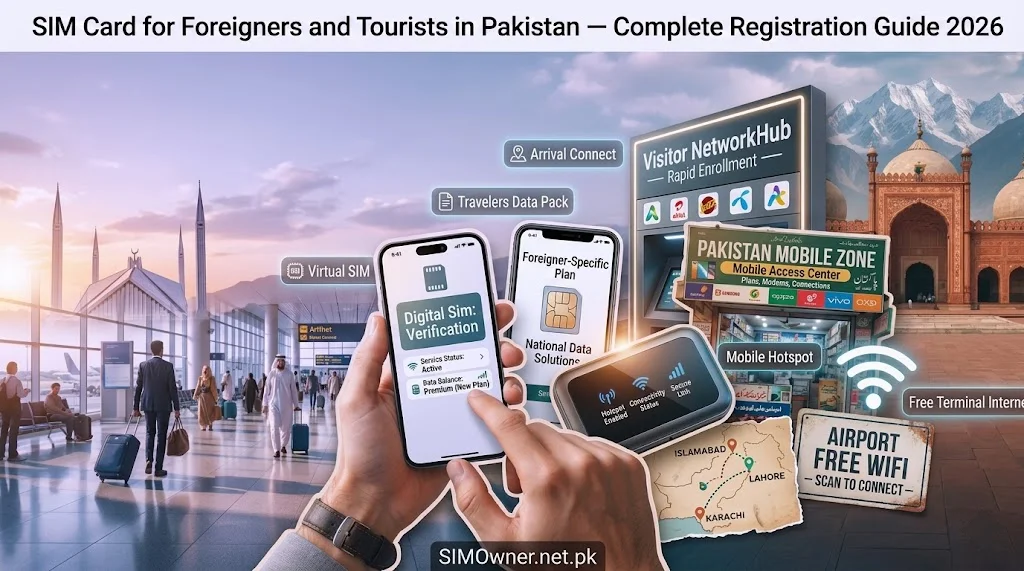
Airport outlets — Jazz, Zong, and Telenor all have kiosks at Pakistan’s major international airports (Islamabad BBIA, Karachi JIAP, Lahore Allama Iqbal). These are specifically designed for incoming international travelers and are the most convenient first option.
Zong has historically been strong for Chinese visitors specifically — given the Zong-China Mobile parent relationship and the significant Chinese business and CPEC-related visitor population.
Documents Required for Foreign National SIM Registration
| Document | Requirement |
|---|---|
| Valid passport | Original — not a photocopy. Must be valid (not expired). |
| Valid Pakistan visa | Stamped in passport or e-visa printout |
| Entry stamp | Confirming legal entry into Pakistan |
| Biometric | Fingerprint verification — same process as for nationals |
| Completed registration form | Franchise provides this form |
Additional Documents by Visitor Type
Business visa holders: Some operators may additionally request a company invitation letter or NOC from the sponsoring Pakistani company.
Work permit holders: Foreign workers on long-term permits may be able to register more SIMs (up to the standard limit) with work permit documentation.
Diplomatic visa holders: Diplomats and embassy staff follow a separate registration pathway — typically coordinated through the Ministry of Foreign Affairs. Contact your embassy for guidance.
Students: Foreign students at Pakistani universities can register SIMs on student visa — some universities assist with this process as part of onboarding.
Step-by-Step Registration Process for Foreign Visitors
Step 1 — Arrive at Official Service Center or Airport Kiosk
For tourist SIM registration, go directly to an official service center or airport kiosk — not to a small third-party franchise. Foreign national registration requires staff trained in the specific process.
Airport kiosk locations:
- Islamabad BBIA: Arrivals hall — Jazz, Zong, Telenor kiosks
- Karachi JIAP: Arrivals terminal
- Lahore Allama Iqbal: International arrivals
Timing at airport: Kiosks at major airports typically operate during international flight arrival hours. If arriving at an unusual time and the kiosk is closed, proceed to a city-center service center the next day.
Step 2 — Document Presentation
Present your original passport open to the photo page and Pakistan visa/entry stamp page. The agent will:
- Record your passport number
- Photograph or scan the relevant pages
- Verify visa validity and entry date
Step 3 — Complete Registration Form
A registration form specific to foreign nationals captures:
- Full name (as on passport)
- Passport number
- Nationality
- Pakistan address (hotel address is acceptable for tourists)
- Purpose of visit
- Intended stay duration
Step 4 — Biometric Verification
Your fingerprint is captured via NADRA MBVS. For foreign nationals not registered in NADRA’s foreigner database, the verification process may use a different verification pathway — the operator will manage this. In some cases, biometric verification for tourists uses a simplified process compared to the full CNIC-holder MBVS.
Step 5 — SIM Activation
After verification, your SIM is activated. Activation typically takes 30–60 minutes. The operator may send an activation confirmation SMS.
Verify activation: Call the SIM number from another phone to confirm it is active and receiving calls.
SIM Options and Plans Available to Foreign Visitors
Tourist SIM Packages
All major Pakistani networks offer tourist-specific packages designed for short-term visitors:
Jazz Tourist SIM:
- Available at Jazz Experience Centers and Islamabad/Karachi/Lahore airports
- Typical offering: Data bundle + local call minutes
- Validity: 30 days (extendable)
- Cost: Rs. 500–2,000 depending on data package
Zong Tourist SIM:
- Strong for Chinese visitors — Zong has specific packages for CPEC-related visitors
- 4G LTE access on Zong’s network
- Available at Zong CSCs in major cities and some airports
Telenor Visitor SIM:
- Available at Telenor SSCs
- Standard data and call packages
Important: Tourist SIM package details change frequently. Verify current packages at the outlet — pricing, data amounts, and validity periods may differ from any list published here.
Long-Term Resident Options
Foreign nationals on long-term visas (work permit, student visa, CPEC project workers) can register standard SIMs with the same general range of plans available to Pakistani nationals. Present work permit, student card, or other long-term stay documentation in addition to passport.
Using Your Foreign SIM — Important Practical Notes
Device Compatibility
Ensure your phone is unlocked — many phones from other countries are carrier-locked and will not accept a Pakistani SIM. Check with your home carrier before traveling. iPhones purchased outside Pakistan are typically unlocked.
Check IMEI on DIRBS: Dial *#06# on your phone to display the IMEI. Check the IMEI at dirbs.pta.gov.pk to confirm your device is registered with PTA. Foreign devices temporarily in Pakistan are generally allowed, but if your device is listed as blocked in DIRBS, you may have trouble using it with a Pakistani SIM.
Data Settings (APN)
After SIM activation, configure your phone’s APN (Access Point Name) settings for data:
| Network | APN Setting |
|---|---|
| Jazz | internet.jazz.net |
| Zong | zonginternet |
| Telenor | internet |
| Ufone | ufone.internet |
On most smartphones (Android and iPhone), APN settings configure automatically. If data does not work within 30 minutes of activation, manually configure via Settings → Mobile/Cellular → APN.
Emergency Numbers in Pakistan
Regardless of which SIM you have, these emergency numbers work from any Pakistani network:
| Service | Number |
|---|---|
| Police | 15 |
| Ambulance | 1122 (Punjab), 115 (other) |
| Fire | 16 |
| Rescue | 1122 |
| Edhi Foundation | 115 |
Security Considerations for Foreign Visitor SIMs
Fraud Targeting of Foreign Visitors
Foreign visitors using Pakistani SIMs are targeted by specific fraud patterns:
OTP farming calls: Criminals call foreign visitors claiming to be network support, requesting OTP codes “for verification.” This targets visitors unfamiliar with Pakistani fraud patterns.
SIM selling fraud: Street vendors sometimes sell SIMs at inflated prices — registered on Pakistani CNICs (not yours), meaning you are using a SIM registered to someone else. This is illegal and creates legal exposure. Always register through official channels.
Travel SIM overcharging: Unofficial “tourist SIM” packages at airports from non-official vendors may be ordinary SIMs with inflated margins and no proper registration.
Protection: Only register through official operator kiosks and service centers. Verify your SIM is registered in your passport name using the SIM info tools at SimOwner.net.pk.
Your Responsibilities as a Foreign SIM Holder
As a registered SIM holder in Pakistan, you are subject to the same legal framework as Pakistani nationals:
- PTA’s usage terms apply — no misuse of the SIM for fraud, spam, or harassment
- PECA 2016 applies to any electronic crimes committed using your SIM during your Pakistan stay
- If your SIM is used for criminal activity while in your possession, you may be questioned by authorities
Take care of your Pakistani SIM as you would any identity-linked document.
Checking Your Foreigner SIM Registration
After receiving your SIM, verify it is correctly registered. While the 668 service is designed for CNIC holders (Pakistani nationals), you can verify your SIM is active and working:
Call test: Call the number from another phone — confirms activation.
Data test: Open a browser and try loading a website — confirms data is working.
Contact operator: Call the operator helpline to confirm your registration details are correctly recorded.
SimOwner tools: Use SimOwner.net.pk’s pak-sim-data resources for guidance on Pakistani SIM registration verification.
For full verification of foreign-registered SIM status in Pakistan’s system, contact the operator’s customer service — they can confirm your passport-number-linked registration is complete in their system.
When You Leave Pakistan — What Happens to Your SIM
When your visit ends and you leave Pakistan, your Pakistani SIM enters a period of inactivity:
Prepaid SIM: After 180 days of no outgoing activity, the operator may suspend the SIM. After an extended suspension period, the number may be decommissioned.
Your options:
- Deactivate before leaving (visit service center — recommended if you do not plan to return)
- Keep active if you plan to return to Pakistan within 6 months — top up balance before leaving to maintain activity
- Transfer to a trusted Pakistani contact if you want to maintain the number long-term
For frequent visitors to Pakistan who want a persistent number: register a standard SIM (not tourist-only) on your passport with a local address (hotel, business partner’s address) — this gives more flexibility for ongoing use across multiple visits.
Frequently Asked Questions
Q: Can I buy a SIM from a street vendor or small shop in Pakistan?
A: Technically possible but strongly not recommended. Street vendors may sell SIMs registered on Pakistani CNICs — making you the actual user of a SIM registered to someone else. This creates legal exposure and means you have no legitimate ownership claim. Always use official operator service centers or airport kiosks.
Q: My phone shows “No Service” after inserting the Pakistani SIM. What should I do?
A: First, confirm your phone is unlocked. Then check APN settings. Then call the operator helpline to confirm activation is complete — some tourist SIMs take up to 4 hours to fully activate. If still no service after 24 hours, return to the service center where you registered.
Q: Can I use my Pakistani tourist SIM for JazzCash or mobile payments?
A: Mobile wallet services (JazzCash, Easypaisa) in Pakistan require a Pakistani CNIC for full account registration. Foreign nationals on tourist SIMs typically cannot register full mobile wallet accounts. Some limited services may be accessible — confirm with the operator.
Q: I am a diplomat — do special rules apply to my SIM registration?
A: Diplomatic personnel registration typically goes through a different pathway coordinated with the Ministry of Foreign Affairs. Your embassy should guide you through the Pakistan-specific diplomatic SIM registration process.
Q: Is my Pakistani tourist SIM registered under my name in PTA’s system?
A: Yes — when properly registered through official channels using your passport, your SIM should be registered in your name with your passport number as the identity document in PTA’s SVMS. This is verifiable by calling the operator’s customer service.
Q: Can I use eSIM for a Pakistan tourist visit?
A: Jazz and Telenor support eSIM. In theory, a tourist can register a Pakistani eSIM using passport documentation — check with the specific operator’s service center for current tourist eSIM availability, as this service continues to develop.
Summary: Foreign Visitor SIM Registration Quick Reference
| Step | Action | Where |
|---|---|---|
| 1 | Arrive at official service center/airport kiosk | Operator SSC or airport |
| 2 | Present passport + visa | At counter |
| 3 | Complete registration form | At counter |
| 4 | Biometric fingerprint verification | At counter |
| 5 | Receive and activate SIM | Immediate |
| 6 | Verify activation (call test + data test) | On your device |
| 7 | Configure APN if data does not auto-configure | Phone settings |
| 8 | Note operator helpline for any issues | Save in phone |
For Pakistan’s most comprehensive SIM registration guidance and verification tools, visit Sim Owner Details — Pakistan’s trusted SIM information resource since 2015.
All registration requirements verified from PTA regulations and operator practices as of May 2026. Tourist SIM packages change frequently — verify current offerings at point of registration. SimOwner.net.pk is not affiliated with any network operator.
Related Guides on SimOwner.net.pk: