
Last Verified: Jun 2026 | By SimOwner.net.pk Editorial Team — Pakistan’s SIM verification specialists since 2015
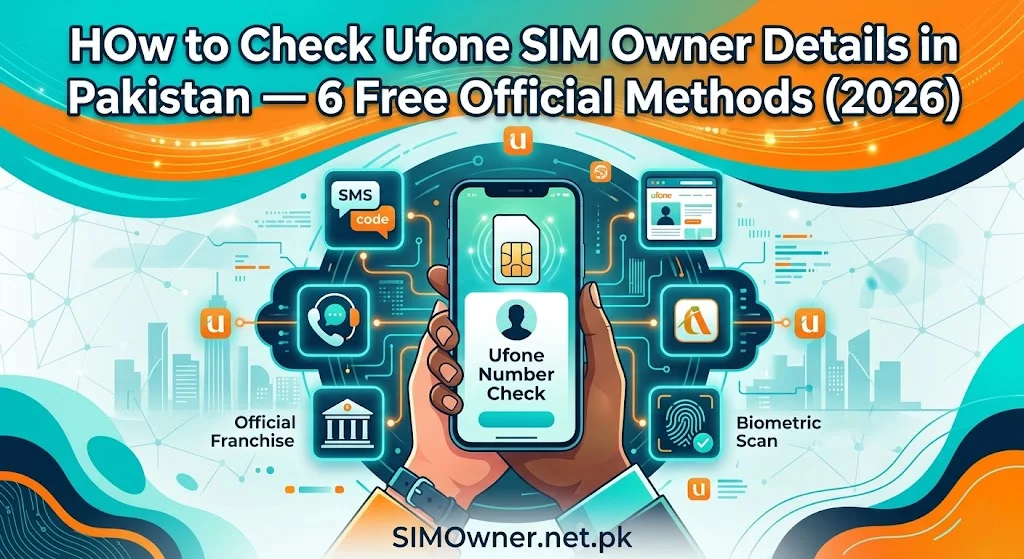
Checking Ufone SIM owner details in Pakistan is a legitimate and frequently needed action — whether you are verifying your own registered SIMs for fraud prevention, confirming that a Ufone SIM on your CNIC was properly registered, or checking the registration status of a SIM you are considering taking ownership of.
Pakistan’s mandatory CNIC-based SIM registration system means every Ufone SIM has an owner on record in PTA’s SVMS — and the legitimate CNIC holder has the right to access information about SIMs registered on their identity. This guide covers every official, free, and legal method to check Ufone SIM owner registration details in Pakistan, with exact steps and what each method reveals.
Important clarity: This guide covers checking SIMs registered on your own CNIC only. Checking who owns someone else’s number without their consent and a legitimate legal reason is not supported by any official Pakistani system — and requests claiming to offer this service are either fraudulent or illegal. For your own CNIC’s Ufone SIMs, all methods below are free, official, and legally authorized. Start your verification at SimOwner.net.pk.
Why You Need to Check Ufone SIM Owner Details
For Personal Fraud Protection
The most important use case: confirming that every Ufone SIM showing on your CNIC is one you actually registered. Pakistan’s 2019 and 2023 data breaches exposed millions of CNIC numbers to criminals who actively attempt to register fraudulent SIMs. A monthly Ufone SIM ownership check catches unauthorized registrations before significant damage occurs.
For SIM Portfolio Management
Pakistanis managing multiple SIMs across networks need to know their exact Ufone SIM count and numbers. Approaching the 8-SIM-per-CNIC limit? Need to know which Ufone SIMs are active before deactivating unused ones? Owner verification is the starting point.
For Deceased Family Member Protection
When a family member passes away, their Ufone SIM remains registered on their CNIC until formally deactivated. Checking the owner details of all SIMs on a deceased person’s CNIC — including Ufone SIMs — is the first step in the protection process.
For Second-Hand SIM Verification
Before accepting or purchasing a Ufone SIM from someone, checking its current registration status confirms whether a transfer is needed and what the SIM’s ownership history looks like.
Method 1 — SMS to 668 (PTA Official, Free, Instant)
The 668 service is PTA’s official CNIC-to-SIM verification system. It shows all SIMs registered on your CNIC across all networks — including Ufone.
How to Use
From any Pakistani mobile number, compose an SMS:
- Message: Your 13-digit CNIC without dashes (example:
3520112345671) - Send to: 668
- Cost: Free
Response time: 15–60 seconds typically.
What You Learn About Your Ufone SIMs
The 668 response will list all SIMs on your CNIC. Ufone numbers have prefixes: 0333, 0334, 0335, 0336, 0337.
For each Ufone SIM on your CNIC, 668 shows:
- The Ufone phone number
- The network (Ufone)
- That it is currently registered/active in PTA’s SVMS
What 668 Does NOT Show
- Ufone SIM registration date
- Which Ufone franchise registered the SIM
- Whether biometric verification was properly completed
- SIM active/inactive status details beyond basic registration
Interpreting Your 668 Ufone Results
All listed Ufone numbers are ones you registered: No action needed — continue monthly monitoring.
A Ufone number appears that you do not recognize: Treat as potentially fraudulent — proceed to Method 5 (call Ufone fraud line) and simultaneously file FIA complaint.
No Ufone numbers appear: Either you have no Ufone SIMs (expected) or previously deactivated Ufone SIMs have been properly removed from your CNIC.
Method 2 — PTA Web Portal (cnic.sims.pk)
PTA’s official web portal provides the same information as 668 in a formatted web interface.
How to Use
- Visit cnic.sims.pk in any browser
- Enter your 13-digit CNIC number
- Complete CAPTCHA
- View results
The portal shows all SIMs on your CNIC including Ufone, with network labels. Results can be printed or screenshotted for evidence use.
Advantage over 668: Cleaner formatting useful for creating documentation for fraud complaints or bank reversal claims.
Method 3 — Ufone Customer Service Helpline
Ufone’s customer service can provide more detailed information about Ufone SIMs on your CNIC than 668 shows — particularly registration dates and SIM status.
How to Contact
- From Ufone number: Dial 333
- From any phone: Dial 0333-0010333
- Available: 24/7
What to Say
“I need to verify all Ufone SIMs registered on my CNIC [XXXXX-XXXXXXX-X]. Can you confirm how many Ufone SIMs are registered on my CNIC, their numbers, registration dates, and current status?”
Verification Required
The Ufone agent will verify your identity through your CNIC number and potentially a security question or registered address. You must be the CNIC holder to receive this information.
What You Learn That 668 Does Not Show
- Registration date for each Ufone SIM on your CNIC
- SIM status — active, inactive, suspended, or blocked
- Active packages on each SIM
- Last activity date (approximately)
When to Use This Method
Use when a 668 check raises suspicion about a specific Ufone SIM and you need more details before filing a fraud complaint. The registration date in particular helps determine when unauthorized registration occurred.
Method 4 — Ufone Sales Center Visit (In-Person, Most Detailed)
For the most comprehensive Ufone SIM ownership information — particularly when building a fraud case — visit a Ufone Sales Center with your original CNIC.
What to Bring
- Your original CNIC (not a photocopy)
- Any supporting evidence if fraud-related (668 screenshot)
What You Can Request
At a Ufone Sales Center with biometric verification, you can request:
- Complete list of all Ufone SIMs on your CNIC
- Registration date and time for each SIM
- The Ufone franchise or service center where each SIM was registered
- Verification method recorded (whether MBVS was completed)
- Current SIM status for each
This in-person, biometrically verified request gives you the most complete Ufone SIM ownership picture — and creates a documented record of your inquiry that strengthens any subsequent fraud complaint.
Method 5 — Ufone Fraud Line (For Unauthorized SIM Suspicion)
If you suspect a Ufone SIM is fraudulently registered on your CNIC, the Ufone fraud department provides more investigative detail than general customer service.
How to Contact Ufone Fraud
Call 333 and specifically request: “Please connect me to the fraud department — I believe a Ufone SIM has been fraudulently registered on my CNIC without my authorization.”
The fraud department:
- Pulls the complete registration record including franchise location
- Checks NADRA MBVS verification records for the SIM
- Can immediately flag the SIM for priority investigation
- Provides a fraud case reference number
Always get the fraud case reference number before ending the call.
Method 6 — PTA Helpline (0800-55055)
PTA’s toll-free helpline can manually check your CNIC’s Ufone SIM registrations and provide official confirmation.
When to Use PTA Helpline
- When 668 SMS is not returning results (system issues)
- When you want official PTA-level confirmation rather than operator-level
- When you need to discuss specific concerns about your Ufone SIM registration that require regulatory-level intervention
Hours: Monday–Friday, 9am–5pm
What to request: “Please check how many Ufone SIMs are registered on CNIC [XXXXX-XXXXXXX-X] in PTA’s SVMS and confirm their current status.”
Comprehensive Verification: Combining Methods for Maximum Clarity
For complete Ufone SIM owner verification — particularly when fraud is suspected — combine multiple methods:
| Step | Method | Reveals |
|---|---|---|
| 1 | 668 SMS | Count and numbers of all Ufone SIMs on CNIC |
| 2 | cnic.sims.pk | Same as 668 with cleaner format for documentation |
| 3 | Ufone helpline (333) | Registration dates and SIM status |
| 4 | Ufone Sales Center | Full details including franchise location |
| 5 | Ufone fraud department | Investigation-grade details if fraud suspected |
This layered approach gives you everything from basic count (Step 1) to investigation-grade detail (Step 5).
Using SimOwner.net.pk for Ufone SIM Verification
SimOwner.net.pk’s verification tools provide the guidance framework for interpreting what you find in each check:
The SIM info resource at SimOwner.net.pk explains what each method’s results mean and how to act on findings.
The pak-sim-data tools at SimOwner.net.pk guide you through the complete SIM verification process for all networks including Ufone.
The SimOwner.net.pk homepage connects all these tools with the comprehensive fraud prevention knowledge base.
What to Do After Verifying Ufone SIM Ownership
All SIMs Recognized — Maintenance Actions
- Screenshot 668 result with timestamp for monthly records
- Confirm inactive Ufone SIMs are within the 180-day activity window
- Add Ufone fraud flag to your account (call 333, request it) if not already done
Unrecognized Ufone SIM Found — Immediate Actions
- Call Ufone fraud line at 333 — report immediately, request deactivation and fraud case reference
- File FIA complaint at complaint.fia.gov.pk with the unauthorized Ufone number and 668 screenshot
- File PTA complaint at complaint.pta.gov.pk citing Ufone’s verification failure
- File police FIR at your local police station — PECA Section 16
- Check all banks and wallets — the unauthorized Ufone SIM may have been used to intercept OTPs
Ufone SIM Owner Details — What the Law Says About Access
CNIC holder rights: You have the right to know all SIMs registered on your CNIC. PTA’s regulations and PDPA 2025 together affirm this right.
Privacy limitations: You cannot check who owns another person’s Ufone number — that information is private to the CNIC holder. The methods in this guide are specifically for checking your own CNIC’s SIMs.
Law enforcement access: FIA and police can access Ufone registration details for any number through court orders and investigation processes — as detailed in our legal guides.
Frequently Asked Questions
Q: Can I check Ufone SIM owner details for a number that is calling me?
A: No official public method exists to check who owns a specific Ufone number without being the registered CNIC holder. If you are receiving harassing calls from a Ufone number, file a complaint with PTA (complaint.pta.gov.pk) and FIA (complaint.fia.gov.pk) — they have the authority to investigate the registered owner.
Q: 668 shows 3 Ufone SIMs but I only remember registering 2. What should I do?
A: Check your memory thoroughly first — old Ufone SIMs you may have forgotten, or SIMs registered for family members on your CNIC. If after reflection you genuinely cannot account for the third — call Ufone at 333 to get the registration date. If the date is suspicious or recent without your knowledge — report it as fraud immediately.
Q: Does checking Ufone SIM details via 668 notify Ufone?
A: No — 668 queries PTA’s SVMS directly. Ufone is not notified when you check your own CNIC’s SIM registrations via 668. This makes 668 ideal for discreet monitoring.
Q: How often should I check my Ufone SIM owner details?
A: Monthly is sufficient for most users. If you have recently had your CNIC number exposed (shared for any purpose, or if you received suspicious calls), increase to weekly monitoring for 2–3 months.
Q: Can the Ufone helpline confirm ONIC SIM details too?
A: ONIC SIMs (Ufone’s digital MVNO) are registered under Ufone’s operator account in PTA’s SVMS. They appear in 668 results under Ufone. The Ufone helpline (333) handles ONIC-related queries as ONIC is a Ufone product.
Summary: Ufone SIM Owner Check — 6 Methods Compared
| Method | Speed | Detail | Cost | Best For |
|---|---|---|---|---|
| 668 SMS | 30 sec | Basic | Free | Monthly monitoring |
| cnic.sims.pk | 1 min | Basic + printable | Free | Documentation |
| Ufone helpline (333) | 10 min | + dates + status | Free | Investigating specific SIMs |
| Ufone Sales Center | 30–60 min | Complete details | Free | Fraud investigation |
| Ufone fraud department | 15 min | Investigation-grade | Free | When fraud is suspected |
| PTA helpline 0800-55055 | 10 min | Official confirmation | Free | Regulatory verification |
For Pakistan’s most comprehensive Ufone SIM verification guidance, fraud detection resources, and CNIC protection tools, visit Sim Owner Details — Pakistan’s trusted SIM information resource since 2015.
All methods verified against current PTA regulations and Ufone service procedures as of Jun 2026. SimOwner.net.pk is not affiliated with Ufone or PTA.
Related Guides on SimOwner.net.pk:
- Ufone SIM Disown — Remove SIM From Your CNIC
- How to Check SIM Information With CNIC Number
- SIM Registration Date Check — All Networks Pakistan
- Bank Reversal After SIM Fraud in Pakistan — How to File Claim and Expected Timeline (2026)
- How to Check Telenor SIM Owner Details in Pakistan — 6 Free Official Methods (2026)