
Last Verified: Jun 2026 | By SimOwner.net.pk Editorial Team — Pakistan’s SIM specialists since 2015
Ufone (PTCL Group) serves approximately 22 million subscribers across its 0333, 0334, 0335, 0336, and 0337 number ranges. As Pakistan’s fourth-largest network — a PTCL Group company with government ownership — Ufone has a loyal subscriber base, particularly strong in specific urban and rural markets. Ufone’s USSD system, accessed primarily through *786#, provides subscribers with comprehensive account management, package subscriptions, and service access without requiring the U-Account app or customer service calls.
This guide covers every Ufone USSD code category, verified as of Jun 2026. Ufone’s USSD interface is known for being relatively straightforward — menus are well-labeled and responses are clear. Security notes specific to Ufone’s ecosystem — including ONIC (Ufone’s digital-first MVNO) — are included throughout.
For Ufone SIM verification beyond USSD — checking for unauthorized Ufone SIMs on your CNIC, or verifying SIM registration history — visit SimOwner.net.pk.
Ufone USSD System Overview
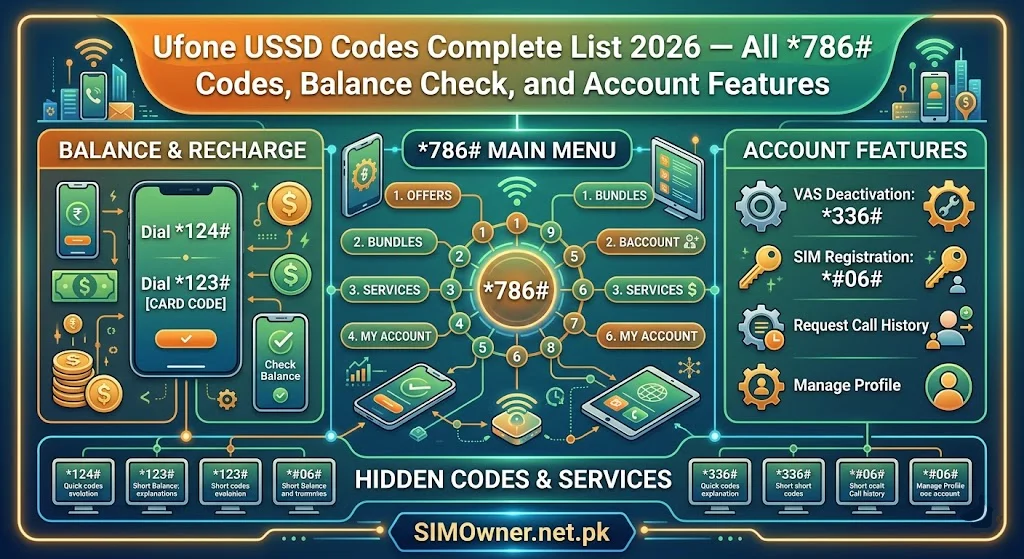
Ufone’s primary USSD entry point is *786# — the main account menu. Ufone also uses *99# as an alternative quick-access code. Direct shortcodes exist for the most common functions.
Number ranges served: 0333, 0334, 0335, 0336, 0337 ONIC numbers (Ufone MVNO): Managed via ONIC app, but some USSD codes may work — check current ONIC app for confirmed code support.
Category 1 — Balance and Account Information
Primary Balance Codes
| Code | Function | Response Type |
|---|---|---|
*786# | Main Ufone account menu | Interactive menu |
*99# | Quick account overview | Instant display |
*786*1# | Check main balance (cash credit) | Instant display |
*786*2# | Check all resources (minutes + SMS + data) | Comprehensive |
*706# | Balance check shortcut | Instant display |
Detailed Balance Checks
| Code | Function |
|---|---|
*786*2*1# | Remaining on-net (Ufone-to-Ufone) minutes |
*786*2*2# | Remaining off-net minutes |
*786*2*3# | Remaining SMS |
*786*2*4# | Remaining internet data (MB/GB) |
*786*2*5# | All active package details with expiry dates |
Most useful single code: *786*2# provides a complete overview of all remaining resources — the Ufone equivalent of a full account dashboard without opening any app.
Category 2 — Internet and Data Packages
Check Data Status
| Code | Function |
|---|---|
*786*2*4# | Remaining internet data balance |
*786*3# | Internet packages main menu |
*550# | Ufone 4G data status and packages |
Subscribe to Data Packages
| Code | Package Category |
|---|---|
*786*3# | Internet packages main menu |
*786*3*1# | Daily internet packages |
*786*3*2# | Weekly internet packages |
*786*3*3# | Monthly internet packages |
*786*3*4# | 3-day internet packages |
*543# | Ufone internet bundles quick access |
Ufone 4G Packages
| Code | Function |
|---|---|
*550# | 4G packages and activation |
*786*3*5# | 4G specific data packages |
*786*3*6# | 4G social media bundles |
Social Media Data Bundles
| Code | Function |
|---|---|
*786*3*6# | Social bundles menu (WhatsApp, YouTube, Facebook) |
*500# | Ufone daily social package quick access |
Category 3 — Call and SMS Packages
Call Packages
| Code | Function |
|---|---|
*786*4# | Call packages main menu |
*786*4*1# | Daily call packages |
*786*4*2# | Weekly call packages |
*786*4*3# | Monthly call packages |
*5000# | Ufone call bundles quick access |
All-in-One Bundles (Call + SMS + Data)
| Code | Function |
|---|---|
*786*5# | All-in-One bundle packages |
*786*5*1# | Daily All-in-One bundles |
*786*5*2# | Weekly All-in-One bundles |
*786*5*3# | Monthly All-in-One bundles |
*3# | Ufone bundle packages quick menu |
SMS Packages
| Code | Function |
|---|---|
*786*6# | SMS packages menu |
*786*6*1# | Daily SMS packages |
*786*6*2# | Weekly SMS packages |
*786*6*3# | Monthly SMS packages |
Category 4 — SIM and Account Management
SIM Information Codes
| Code | Function | Security Relevance |
|---|---|---|
*786*1# | Account balance + SIM status | Active registration confirmation |
*780# | Check your Ufone number | Confirms active number |
*99# | Quick account overview | SIM active status |
Balance Transfer (Ufone to Ufone)
| Code | Function |
|---|---|
*786*7# | Balance transfer menu |
*786*7*[amount]*[recipient number]# | Direct balance transfer |
Balance transfer security: Set a balance transfer PIN via Ufone customer service (call 333). This PIN prevents unauthorized balance transfers if your phone is accessed by someone else.
Ufone Advance (Airtime Loan)
| Code | Function |
|---|---|
*503# | Ufone Advance (airtime loan) |
*786*8# | Ufone Advance menu |
*786*2*6# | Check Ufone Advance balance |
Category 5 — Customer Service and Helpline Codes
| Code/Number | Function | Available |
|---|---|---|
333 | Ufone helpline (from Ufone number) | 24/7 |
0333-0010333 | Ufone helpline (from any phone) | 24/7 |
*786# → Help | Customer service USSD menu | 24/7 |
*786*9# | Register service complaint via USSD | Business hours |
*99# | Quick self-service menu | 24/7 |
For fraud specifically: Always call 333 and request the fraud department for unauthorized SIM reports. The USSD complaint code is for billing and general service — SIM fraud needs live agent handling and generates a case reference number.
Category 6 — International and Roaming Codes
| Code | Function |
|---|---|
*786*10# | International packages menu |
*611# | Ufone international call packages |
*786*2*7# | Check roaming status and balance |
Category 7 — Value-Added Services
Ufone Entertainment
| Code | Function |
|---|---|
*786*11# | Ufone entertainment and content services |
*662# | Ufone TV and streaming options |
ONIC (Ufone MVNO) Considerations
ONIC subscribers manage their account primarily through the ONIC app rather than traditional USSD codes. Some standard Ufone USSD codes may work on ONIC SIMs as they operate on Ufone’s network — however, ONIC-specific features (digital packages, account management) are app-exclusive.
For ONIC subscribers: check the ONIC app for current USSD code compatibility. Balance check via *786*1# typically works. Package management is best done through the app for ONIC-specific plans.
Security-Relevant Ufone USSD Codes
Call Forwarding — Monitor and Control
| Code | Function |
|---|---|
**21*[number]# | Activate unconditional call forwarding |
#21# | Deactivate all call forwarding |
*#21# | Check current call forwarding status |
**61*[number]# | Forward calls when no answer |
#61# | Deactivate no-answer forwarding |
Security warning: Call forwarding is the most commonly exploited USSD feature in Ufone fraud. If a criminal activates call forwarding to their number (through social engineering or physical device access), they receive all your calls including voice OTPs from banks and financial services.
Immediate security action: Dial *#21# right now — if forwarding is active and you did not set it, dial #21# to deactivate and call Ufone fraud line at 333 immediately.
Ufone USSD for SIM Status Verification
While USSD codes confirm your own SIM is active, they cannot reveal unauthorized SIMs on your CNIC. For complete Ufone SIM verification:
- Send CNIC to 668 — lists all Ufone SIMs on your CNIC
- Use SimOwner.net.pk’s SIM database tools for comprehensive guidance
- Access SimOwner.net.pk’s pak-sim-data resource for complete verification
The combination of monthly 668 checks and the Ufone USSD account verification (*99#) gives you the most complete Ufone account monitoring picture.
Ufone Postpaid USSD Codes
| Code | Function |
|---|---|
*786*12# | Postpaid bill and usage menu |
*786*12*1# | Current postpaid bill amount |
*786*12*2# | Unbilled usage to date |
*1200# | Postpaid account management |
Ufone USSD Code Troubleshooting
Code Returns “USSD Code Not Supported”
- Confirm the code is correctly formatted with
*at start and#at end - Some codes are prepaid-only or postpaid-only — check which applies to your account type
- ONIC subscribers: some standard Ufone USSD codes may not work — use the ONIC app instead
Code Works But Package Does Not Activate
- Confirm sufficient main balance for the package (check
*706#first) - Some package activations require confirmation — follow the menu prompts completely
- If balance is sufficient but activation fails, call 333 for manual activation assistance
All USSD Codes Suddenly Stop Working
If all USSD stops responding on your Ufone SIM — this may indicate SIM suspension or deactivation. Call 333 immediately to check your SIM status. If you cannot call from the Ufone SIM, call 0333-0010333 from any phone.
ONIC vs Ufone USSD — Key Differences
| Feature | Ufone (Traditional) | ONIC (Digital) |
|---|---|---|
| Primary management | USSD + U-Account app | ONIC app primarily |
| Balance check | *786*1# | ONIC app + limited USSD |
| Package activation | USSD menu | ONIC app |
| Customer support | Call 333 | ONIC app + Ufone 333 |
| USSD reliability | Full support | Partial support |
Complete Ufone USSD Quick Reference
| Function | Code |
|---|---|
| Main menu | *786# |
| Quick overview | *99# |
| Balance check | *786*1# or *706# |
| All resources | *786*2# |
| Data balance | *786*2*4# |
| My number | *780# |
| Internet packages | *786*3# |
| Call packages | *786*4# |
| All-in-One bundles | *786*5# |
| SMS packages | *786*6# |
| Balance transfer | *786*7*amount*number# |
| Ufone Advance | *503# |
| Call forwarding check | *#21# |
| Disable forwarding | #21# |
| Complaint | *786*9# |
| Helpline | 333 |
| Fraud helpline | 0333-0010333 |
Frequently Asked Questions
Q: Do Ufone USSD codes work on ONIC SIMs? A: Basic codes like balance check (*786*1#) may work on ONIC SIMs as they operate on Ufone’s network. However, ONIC-specific package management and features are designed to be managed through the ONIC app. Check the ONIC app’s FAQ section for current USSD compatibility.
Q: I dialed *786# but got a different menu than described. Why? A: Ufone periodically updates its USSD menu structure. The main menu entry point (*786#) and core functions remain consistent, but submenu numbering may shift. Navigate the interactive menu to find the function you need, or use direct shortcodes for common functions.
Q: Is there a Ufone code to unsubscribe from all active packages at once? A: There is no single code to cancel all packages simultaneously. Each package must be cancelled individually through its activation menu or by calling 333 and requesting all package cancellations. This protects against accidental mass-cancellation.
Q: My Ufone Advance balance is deducted from recharges immediately. Can I stop this? A: Ufone Advance is automatically recovered from your next recharge — this is the design of the service. You cannot prevent automatic recovery. If you frequently need advances, consider maintaining a minimum balance to avoid continuous advance cycles.
Q: Can someone use Ufone USSD codes to make unauthorized balance transfers from my SIM? A: Balance transfer via *786*7# requires navigating the transfer menu and entering the recipient’s number and amount — it is not a single-step code execution. If your phone is in someone’s hands temporarily, they could potentially make a transfer. Setting a balance transfer PIN (call 333 to set this) prevents unauthorized transfers.
Q: Does checking *#21# cost any money? A: No — call forwarding status checks are free USSD queries on Ufone’s network. No charge applies.
Summary: Ufone USSD Top 10 Daily Codes
*786*1#— Main balance*99#— Quick overview*786*2*4#— Data balance*786#— Main menu (everything)*786*5#— All-in-One bundles*780#— My number*503#— Ufone Advance*786*3#— Internet packages*#21#— Check call forwarding (monthly security check)333— Customer service
For complete Ufone SIM verification, fraud detection, and Pakistan’s most comprehensive network guides, visit Sim Owner Details — Pakistan’s trusted SIM information resource since 2015.
All Ufone USSD codes verified as of Jun 2026. Subject to change — verify at ufone.com. SimOwner.net.pk is not affiliated with Ufone or PTCL Group.
Related Guides on SimOwner.net.pk: