
Last Verified: Jun 2026 | By SimOwner.net.pk Editorial Team — Pakistan’s SIM specialists since 2015
Telenor Pakistan serves approximately 47 million subscribers across its 0345, 0346, 0347, 0348, and 0349 number ranges. As one of Pakistan’s major networks — and the owner of Easypaisa, the country’s second-largest mobile wallet — Telenor’s USSD code system is particularly important for users managing both their mobile account and their Easypaisa wallet through a single SIM.
USSD codes on Telenor give instant access to balance checks, package subscriptions, account management, and customer service — working without internet, without the My Telenor app, and from any Telenor-compatible handset. This guide covers every Telenor USSD code category, verified as of May 2026, with security notes specific to the Telenor-Easypaisa ecosystem.
For complete Telenor SIM verification beyond what USSD codes provide — checking for unauthorized Telenor SIMs on your CNIC, verifying registration status, or monitoring SIM changes — visit SimOwner.net.pk.
Telenor USSD System Overview
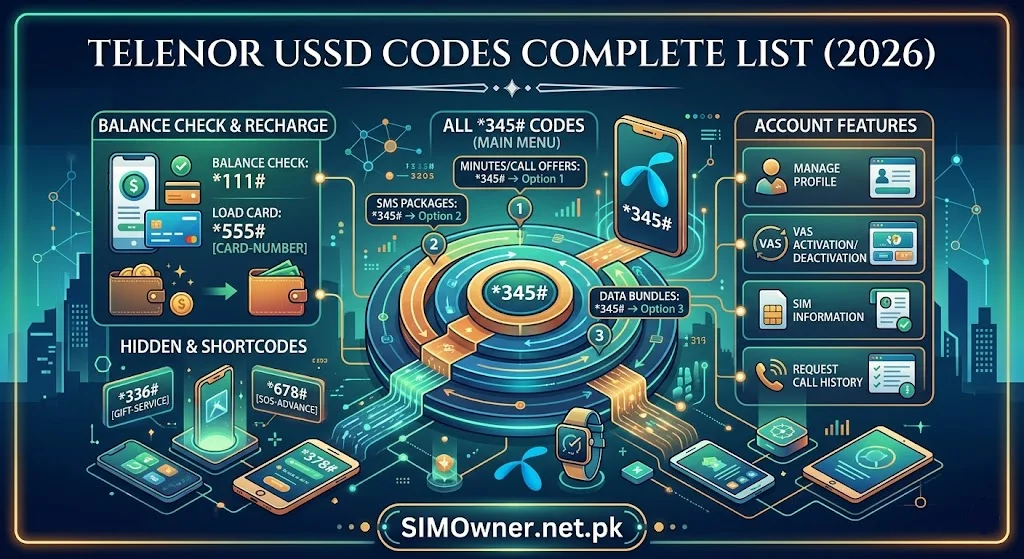
Telenor’s primary USSD entry point is *345# — the main account menu from which all services are accessible. Direct codes exist for the most common functions. Telenor’s USSD responses are clear and well-structured compared to some competitors — making navigation easier for new users.
Coverage for USSD: Basic 2G/GSM signal is sufficient for all USSD queries — no 4G or data connection required.
Category 1 — Balance and Account Information
Primary Balance Codes
| Code | Function | Response Type |
|---|---|---|
*345# | Main Telenor account menu | Interactive menu |
*444# | Check main balance (cash credit) | Instant display |
*222# | Check remaining minutes and SMS | Instant display |
*999# | Complete account overview (all resources) | Comprehensive |
*111# | Account information menu | Interactive |
Detailed Balance Checks
| Code | Function |
|---|---|
*345*1# | Balance and account summary |
*345*2# | Check active packages with expiry dates |
*444*1# | Remaining on-net (Telenor-to-Telenor) minutes |
*444*2# | Remaining off-net minutes |
*444*3# | Remaining SMS |
*444*4# | Remaining data (internet MB/GB) |
Most comprehensive single code: *999# — shows all remaining resources including minutes, SMS, data, and main balance in one response.
Category 2 — Internet and Data Packages
Check Data Status
| Code | Function |
|---|---|
*444*4# | Remaining internet data balance |
*345*5# | Data packages and status menu |
*336# | Telenor 4G status and data check |
Subscribe to Data Packages
| Code | Package Category |
|---|---|
*345*5# | Internet packages main menu |
*345*5*1# | Daily internet packages |
*345*5*2# | 3-day internet packages |
*345*5*3# | Weekly internet packages |
*345*5*4# | Monthly internet packages |
*288# | Telenor daily internet bundles (quick access) |
Social Media and App-Specific Data
| Code | Function |
|---|---|
*345*5*5# | Social media bundles (WhatsApp, YouTube, Facebook) |
*311# | Telenor social packages quick access |
Telenor 4G Packages
| Code | Function |
|---|---|
*336# | 4G packages and status |
*345*5*6# | 4G specific package menu |
Category 3 — Call and SMS Packages
Call Packages
| Code | Function |
|---|---|
*345*3# | Call packages main menu |
*345*3*1# | Daily call packages |
*345*3*2# | Weekly call packages |
*345*3*3# | Monthly call packages |
*300# | Telenor call bundles quick access |
All-in-One Bundles (Call + SMS + Data)
| Code | Function |
|---|---|
*345*4# | Bundle packages main menu |
*345*4*1# | Daily All-in-One bundles |
*345*4*2# | Weekly All-in-One bundles |
*345*4*3# | Monthly All-in-One bundles |
*5# | Telenor djuice and special packages |
SMS Packages
| Code | Function |
|---|---|
*345*6# | SMS packages menu |
*345*6*1# | Daily SMS packages |
*345*6*2# | Weekly SMS packages |
Category 4 — SIM and Account Management
SIM Information Codes
| Code | Function | Security Relevance |
|---|---|---|
*888# | Check your Telenor number | Confirms your active number |
*345*1# | Account status and SIM info | Registration confirmation |
*999# | Full account overview including SIM status | Comprehensive check |
Balance Transfer (Telenor to Telenor)
| Code | Function |
|---|---|
*1*[recipient number]*[amount]# | Transfer balance to another Telenor number |
*345*7# | Balance transfer menu |
Balance transfer security note: Set a balance transfer PIN via Telenor customer service to prevent unauthorized transfers from your SIM if your phone is temporarily in someone else’s hands.
Telenor Advance (Airtime Loan)
| Code | Function |
|---|---|
*1234# | Telenor Advance (airtime loan) |
*444*5# | Check Telenor Advance status and balance |
Category 5 — Easypaisa Integration Codes
Telenor’s ownership of Easypaisa creates specific USSD integration. These codes connect your Telenor SIM to Easypaisa services:
| Code | Function |
|---|---|
*786# | Easypaisa main menu via Telenor USSD |
*786*1# | Easypaisa balance check |
*786*2# | Easypaisa send money menu |
*786*3# | Easypaisa bill payment |
*786*4# | Easypaisa mobile top-up |
*786*5# | Easypaisa account management |
Critical security note for Easypaisa via USSD: The *786# USSD access to Easypaisa is PIN-protected — your Easypaisa MPIN is required for transactions. If you have not set an Easypaisa MPIN, do so immediately via the Easypaisa app. Without a PIN, USSD-based Easypaisa access has reduced security.
Why this matters for SIM swap protection: If your Telenor SIM is swapped, the criminal controlling your number can access the Easypaisa USSD menu with *786#. Your MPIN is the last line of defense. Make it strong (not 1234, not your CNIC last 4 digits).
Category 6 — Customer Service and Helpline Codes
| Code/Number | Function | Available |
|---|---|---|
345 | Telenor helpline (from Telenor number) | 24/7 |
0345-7777345 | Telenor helpline (from any phone) | 24/7 |
*345# → Help | Customer service USSD menu | 24/7 |
*345*9# | Register complaint via USSD | Business hours |
*888# | Self-service quick menu | 24/7 |
For fraud specifically: Call 345 or 0345-7777345 and request the fraud department for unauthorized SIM issues. USSD complaint codes are for billing and service issues — fraud requires live agent handling.
Category 7 — International and Roaming
| Code | Function |
|---|---|
*345*8# | International packages and roaming menu |
*312# | International call packages quick access |
*444*6# | Check roaming status |
Security-Relevant Telenor USSD Codes
Call Forwarding — Know and Monitor
| Code | Function |
|---|---|
**21*[number]# | Activate unconditional call forwarding |
#21# | Deactivate all call forwarding |
*#21# | Check current call forwarding status |
Warning: Criminals impersonating Telenor technical support sometimes ask you to dial call forwarding codes to “fix your connection.” This redirects your calls — and any voice OTPs — to their number.
Check your forwarding status now: Dial *#21#. If forwarding is unexpectedly active to an unknown number — dial #21# to deactivate immediately and call 345 to report.
The Easypaisa-Telenor Security Relationship
Because Telenor and Easypaisa are the same company, a Telenor SIM fraud incident creates a direct Easypaisa wallet risk. After any Telenor fraud:
- Immediately call Easypaisa at 0311-1234-125 — freeze the Easypaisa wallet
- Change your Easypaisa MPIN — once your Telenor SIM is restored
- Review Easypaisa transaction history — check for unauthorized transactions during the fraud period
Use SimOwner.net.pk’s live tracker tools to monitor your Telenor SIM status continuously — a sudden loss of Telenor signal that you cannot explain warrants immediate Easypaisa freeze.
Telenor USSD and SIM Registration Verification
USSD codes confirm your own SIM’s account status. They do not reveal:
- Unauthorized Telenor SIMs registered on your CNIC (visible only via 668)
- Your SIM’s exact registration date and location
- Whether biometric verification was properly completed
For complete Telenor SIM verification:
- Send CNIC to 668 — lists all Telenor SIMs on your CNIC
- Use SimOwner.net.pk’s SIM information tools for comprehensive verification guidance
- Visit your nearest Telenor SSC for in-person registration record details
Telenor Postpaid USSD Codes
Telenor postpaid subscribers access billing information through:
| Code | Function |
|---|---|
*345*10# | Postpaid bill summary |
*1000# | Postpaid account menu |
*345*10*1# | Current bill amount |
*345*10*2# | Unbilled usage |
*888# | Postpaid account overview |
Complete Telenor USSD Quick Reference
| Function | Code |
|---|---|
| Main menu | *345# |
| Balance check | *444# |
| All resources | *999# |
| Minutes + SMS | *222# |
| Data balance | *444*4# |
| My number | *888# |
| Internet packages | *345*5# |
| Call packages | *345*3# |
| All-in-One bundles | *345*4# |
| SMS packages | *345*6# |
| Balance transfer | *1*number*amount# |
| Telenor Advance | *1234# |
| Easypaisa menu | *786# |
| Easypaisa balance | *786*1# |
| Call forwarding check | *#21# |
| Disable forwarding | #21# |
| Complaint | *345*9# |
| Helpline | 345 |
| Fraud reporting | 0345-7777345 |
Frequently Asked Questions
Q: Do Telenor USSD codes work on djuice SIMs?
A: Yes — djuice is Telenor’s youth brand, operating on the same network infrastructure. All Telenor USSD codes work on djuice SIMs. Some djuice-specific packages may have dedicated codes accessible via *5#.
Q: Can I access Easypaisa via *786# without a Telenor SIM?
A: No — the *786# Easypaisa USSD is only accessible from Telenor SIMs. Non-Telenor Easypaisa users must use the Easypaisa app or visit a Telenor franchise for account management.
Q: My *444# shows balance but I cannot make calls. Why?
A: You likely have call balance in your main account but your calling may be restricted to your active package’s on-net minutes, which have run out. Check *444*1# (on-net minutes) — if zero, you need to activate a new package or use main balance for off-net calls.
Q: Is there a Telenor code to check if my SIM was recently replaced?
A: No USSD code reveals SIM replacement history. If you suspect your SIM was replaced without your knowledge (phone shows “No Service,” your number does not ring to your device), call 345 immediately and ask if a replacement was processed on your number recently.
Q: Can Telenor USSD codes be used to manage my Telenor Smart TV subscription?
A: Telenor Smart TV subscriptions are managed through the Telenor TV app rather than USSD. Call 345 for assistance with Telenor TV billing or subscription management.
Summary: Telenor USSD Top 10 Daily Codes
*444#— Main balance*999#— Everything at once*444*4#— Data balance*345#— Main menu*888#— My number + quick access*345*4#— All-in-One bundles*786#— Easypaisa access*1234#— Telenor Advance#21#— Emergency: disable forwarding345— Customer service
For complete Telenor SIM verification, Easypaisa security guidance, and Pakistan’s most comprehensive network guides, visit Sim Owner Details — Pakistan’s trusted SIM information resource since 2015.
All Telenor USSD codes verified as of Jun 2026. Subject to change — verify at telenor.com.pk. SimOwner.net.pk is not affiliated with Telenor Pakistan.
Related Guides on SimOwner.net.pk: