
Last Verified: Jun 2026 | By SimOwner.net.pk Editorial Team — Pakistan’s SIM specialists since 2015
Zong (China Mobile Pakistan) is Pakistan’s second-largest network, known for strong 4G LTE coverage and competitive data packages — particularly popular among data-heavy users and in areas where Zong’s network infrastructure is strongest. Like all Pakistani networks, Zong operates a comprehensive USSD code system giving subscribers instant access to balance information, package subscriptions, and account management without requiring the My Zong app or customer service calls.
This guide provides every Zong USSD code organized by function — verified as of Jun 2026. USSD codes work without internet connectivity, work on basic feature phones, and give immediate responses. Knowing these codes makes Zong account management significantly faster.
For Zong SIM registration verification — confirming your Zong SIM is correctly registered on your CNIC, checking for unauthorized Zong SIMs, or verifying your SIM status beyond what USSD codes show — visit SimOwner.net.pk.
Zong USSD System Overview
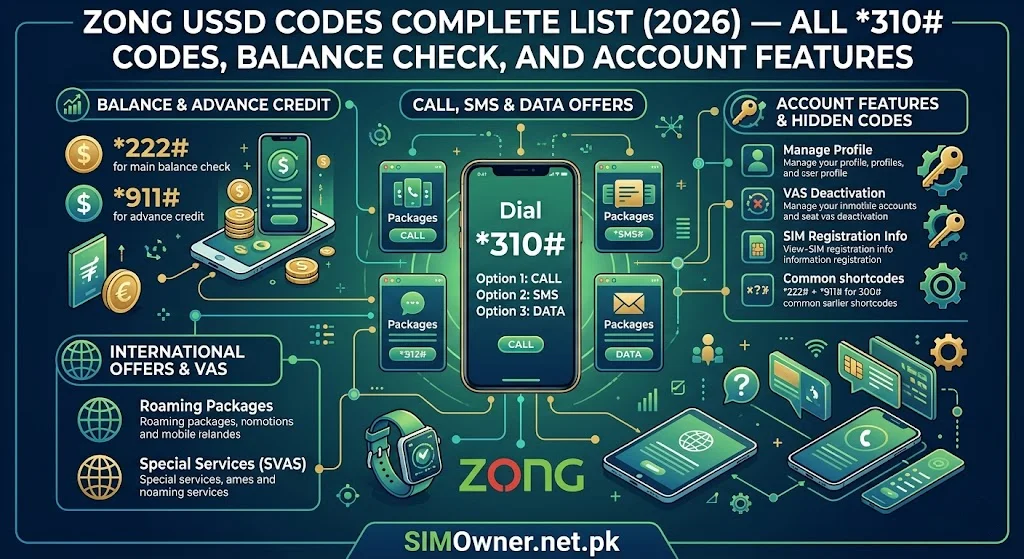
Zong’s USSD system uses *310# as the main menu entry point — from which most services are accessible through submenu navigation. Direct codes exist for the most frequently used functions, bypassing the menu for instant results.
USSD code format: Dial like a phone number — enter the code and press the green call button. Response appears as a popup menu or instant text display.
Works without: Internet data, the My Zong app, or network signal (basic 2G/GSM signal is sufficient for USSD).
Category 1 — Balance and Account Information
Primary Balance Codes
| Code | Function | Response |
|---|---|---|
*310# | Main Zong account menu | Interactive menu |
*102# | Check main balance (cash credit) | Instant display |
*102*1# | Check all balances (minutes + data + SMS + cash) | Comprehensive |
*6464# | Account status and SIM information | Status display |
*100# | Zong balance inquiry | Balance display |
Remaining Resources Check
| Code | Function |
|---|---|
*102*2# | Check remaining on-net minutes |
*102*3# | Check remaining off-net minutes |
*102*4# | Check remaining SMS |
*102*5# | Check remaining internet data (MB/GB) |
*310*4# | Full account resources summary |
Most useful single code: *102*1# — gives complete account overview in one query, showing all remaining resources.
Category 2 — Internet and Data Packages
Check Current Data Status
| Code | Function |
|---|---|
*102*5# | Remaining data balance |
*310*2# | Data packages menu |
*6767# | Zong 4G data status |
Data Package Subscription
Zong organizes data packages by duration. These codes access the current package offerings:
| Code | Package Category |
|---|---|
*6# | Zong internet packages main menu |
*6*1# | Daily internet packages |
*6*2# | Weekly internet packages |
*6*3# | Monthly internet packages |
*6*4# | 3-day internet packages |
*310*2*1# | Alternative daily data packages |
Zong 4G LTE Packages
| Code | Function |
|---|---|
*6767# | Zong 4G packages and status |
*310*2*5# | 4G specific packages menu |
Social Media Packages
| Code | Function |
|---|---|
*247# | Zong social media bundles (WhatsApp, Facebook, YouTube) |
*310*2*3# | Social bundles menu |
Category 3 — Call and SMS Packages
Call Packages
| Code | Function |
|---|---|
*310*1# | Call packages main menu |
*310*1*1# | Daily call packages |
*310*1*2# | Weekly call packages |
*310*1*3# | Monthly call packages |
*400# | Zong All-in-One bundle subscription |
*400*1# | Daily All-in-One bundles |
*400*2# | Weekly All-in-One bundles |
*400*3# | Monthly All-in-One bundles |
SMS Packages
| Code | Function |
|---|---|
*310*3# | SMS packages menu |
*310*3*1# | Daily SMS packages |
*310*3*2# | Weekly SMS packages |
Category 4 — SIM and Account Management
SIM Information Codes
| Code | Function | Security Relevance |
|---|---|---|
*6464# | SIM status and account information | Confirms active registration |
*8# | Check your Zong number | Confirms which number this SIM has |
*310# → Account Info | Account management menu | Registration details |
Balance Transfer (Zong to Zong)
| Code | Function |
|---|---|
*828*[amount]*[recipient number]# | Transfer balance to another Zong number |
*310*5# | Balance transfer menu |
Security note: Balance transfer requires your Zong PIN (set separately). If you have not set a balance transfer PIN, set one now via *310*5# — this prevents unauthorized balance transfers even if someone has physical access to your phone.
Zong Loan Service (Advance)
| Code | Function |
|---|---|
*9090# | Zong Advance (airtime loan) |
*102*6# | Check Zong Advance balance |
Category 5 — Customer Service and Helpline Codes
| Code/Number | Function | Available |
|---|---|---|
310 | Zong helpline (from Zong number) | 24/7 |
0311-3100310 | Zong helpline (from any phone) | 24/7 |
*310# → Help | Customer service via USSD | 24/7 |
*663# | Zong complaint registration | Business hours |
For fraud reporting specifically: Call 310 or 0311-3100310 and explicitly ask for the fraud department. USSD-based complaint codes are for general service issues — unauthorized SIM fraud requires live agent handling.
Category 6 — International and Roaming Codes
| Code | Function |
|---|---|
*123# | International roaming status |
*310*6# | International packages and roaming menu |
*406# | Zong international call packages |
Zong roaming note: Zong has strong international roaming agreements given its China Mobile parent company connections — particularly useful for Pakistan-China travel corridors and CPEC-related business travelers.
Category 7 — Value-Added Services
Zong Entertainment and Content
| Code | Function |
|---|---|
*567# | Zong TV and streaming packages |
*310*7# | Value-added services menu |
Zong MiFi and Device-Related
| Code | Function |
|---|---|
*310*8# | Zong device and MiFi management |
Security-Relevant Zong USSD Codes
Call Forwarding — Know What It Does
| Code | Function |
|---|---|
**21*[number]# | Activate unconditional call forwarding |
#21# | Deactivate all call forwarding |
*#21# | Check call forwarding status |
Critical security warning: Criminals impersonating Zong technical support sometimes instruct victims to dial call forwarding activation codes (directing their calls and OTPs to the criminal’s number). Never dial any code at a stranger’s instruction. If call forwarding is unexpectedly active on your account, dial #21# immediately to deactivate it, then call 310 to report the incident.
Check if Someone Is Using Your Zong Data
If your data depletes faster than expected:
- Dial
*102*5#— check remaining data vs your expected usage - Check active packages via
*310*2# - If a package you did not subscribe to is active — call 310 to report and cancel
Zong USSD and SIM Verification — What the Codes Miss
USSD codes provide account-level information for your own SIM. They do not reveal:
- Other SIMs registered on your CNIC — fraudulent Zong SIMs appear only via 668, not via USSD on your own SIM
- Your SIM’s registration history — when it was registered, at which location
- Whether biometric verification was properly completed at registration
For complete Zong SIM verification including unauthorized SIM detection and registration history:
- Send your CNIC to 668 (free, from any phone)
- Use SimOwner.net.pk’s SIM database tools for comprehensive guidance
- Access SimOwner.net.pk’s SIM info resource for verification interpretation
Zong Postpaid USSD Codes
Zong postpaid subscribers have additional code options:
| Code | Function |
|---|---|
*310*9# | Postpaid bill and usage information |
*310*9*1# | Current bill amount |
*310*9*2# | Usage breakdown |
*1000# | Postpaid account menu |
Zong USSD Troubleshooting
“Service Not Available” Response
- Check your Zong signal strength — USSD requires at minimum 1 bar of signal
- Try moving to better coverage area
- Some services are temporarily unavailable during network maintenance (typically 2am–4am)
Code Works but Gives Unexpected Menu
Zong’s USSD menus are periodically updated — menu structure may differ from documentation. Navigate the interactive menu to find the function you need, or call 310 for assisted service.
No Response After Dialing
- Confirm you pressed the call/send button after the code
- Ensure the code includes the
*at the start and#at the end - Some Zong codes require your SIM to have balance — check
*102#first
Complete Zong USSD Quick Reference
| Function | Code |
|---|---|
| Main menu | *310# |
| Balance check | *102# |
| All resources | *102*1# |
| Data balance | *102*5# |
| My Zong number | *8# |
| Data packages | *6# |
| Call packages | *310*1# |
| All-in-One bundles | *400# |
| SMS packages | *310*3# |
| Balance transfer | *828*amount*number# |
| Zong Advance | *9090# |
| 4G status | *6767# |
| Call forwarding check | *#21# |
| Disable forwarding | #21# |
| Complaint | *663# |
| Helpline | 310 |
| Fraud helpline | 0311-3100310 |
Frequently Asked Questions
Q: Do Zong USSD codes work on Zong MiFi (WiFi router) SIMs?
A: Some codes work on MiFi SIMs via SMS rather than USSD — MiFi devices do not have a keypad for USSD dialing. Send the equivalent service request via SMS to Zong’s service number, or manage via the My Zong app or web portal.
Q: My *102# shows a negative balance. What does this mean?
A: A negative balance on Zong typically means you have used the Zong Advance (airtime loan — *9090#) and the loan has been deducted from your credit. The negative amount is what you owe, which will be deducted from your next recharge.
Q: Can Zong USSD codes be used to check if my SIM is properly registered?
A: *6464# shows your SIM’s status in Zong’s system — if your SIM is active and registered, it will return account information. However, this only confirms your SIM is registered. To check for unauthorized Zong SIMs on your CNIC, send your CNIC to 668.
Q: Is there a Zong code to block my SIM remotely?
A: No — SIM blocking requires calling Zong customer service at 310 or visiting a Zong CSC. This is a security measure — if a code could block your SIM, criminals could use it against you. Blocking always requires verified agent interaction.
Q: Zong codes worked yesterday but none are working today. What happened?
A: Your SIM may have been suspended (for non-payment if postpaid, or potentially as part of a fraud action). Call 310 immediately to check your SIM status. If you suspect unauthorized SIM suspension, report it as possible fraud.
Summary: Zong USSD Top 10 Daily Codes
*102#— Quick balance check*102*1#— All resources overview*102*5#— Data balance*310#— Main menu (everything)*6#— Data packages*400#— All-in-One bundles*8#— My Zong number*9090#— Zong Advance#21#— Disable call forwarding (emergency)310— Customer service
For complete Zong SIM verification, fraud detection, and Pakistan’s most comprehensive network guides, visit Sim Owner Details — Pakistan’s trusted SIM information resource since 2015.
All Zong USSD codes verified as of Jun 2026. Subject to change — verify at zong.com.pk for latest. SimOwner.net.pk is not affiliated with Zong China Mobile Pakistan.
Related Guides on SimOwner.net.pk: