
Last Verified: May 2026 | By SimOwner.net.pk Editorial Team — Pakistan’s SIM specialists since 2015
Your Jazz SIM is lost, stolen, or you have just discovered an Unauthorized SIM registered on your CNIC. Every minute that SIM is active, someone could be intercepting your OTPs, draining your JazzCash wallet, or using your number for fraud. You need to block it — right now.
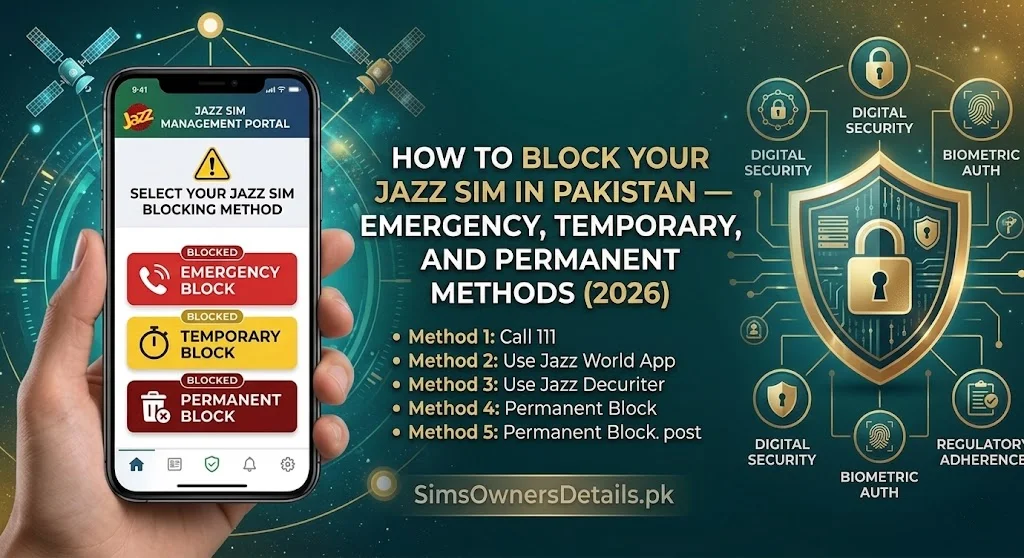
This guide gives you every method to block a Jazz SIM in Pakistan, from the fastest emergency call (takes 3 minutes) to the permanent deregistration process at a Jazz Experience Center. We cover exactly what information you need, what Jazz agents will ask, what happens to your number and balance after blocking, and how to get your number back if the block was due to loss rather than fraud.
Before blocking, confirm which SIMs are currently active on your CNIC at SimOwner.net.pk — this tells you whether you are dealing with one Unauthorized SIM or multiple, and helps you act on all of them simultaneously rather than discovering more later.
When Should You Block Your Jazz SIM?
Block your Jazz SIM immediately in any of these situations:
Situation 1 — Physical loss or theft. Your phone or SIM was lost or stolen. Even if you think you just misplaced it, blocking protects you while you search.
Situation 2 — Suspected SIM swap. Your phone suddenly shows “No Service” or “SIM Not Registered” without explanation. This may indicate a SIM swap has occurred — your number has been transferred to a different SIM.
Situation 3 — Unauthorized SIM on CNIC. A 668 check (sending your CNIC to 668) reveals a Jazz SIM you did not register. Block it immediately through Jazz’s fraud reporting channel.
Situation 4 — JazzCash suspicious activity. You receive JazzCash transaction notifications for transactions you did not make — someone may be using a SIM registered to your CNIC to access your account.
Situation 5 — After reporting fraud. If you have filed an FIA or PTA complaint about SIM fraud, simultaneously blocking the fraudulent SIM prevents further misuse during the investigation period.
Method 1 — Emergency Block via Jazz Helpline (Fastest — 3 Minutes)
This is the fastest method. Available 24 hours, 7 days a week.
Jazz Customer Care: Call 111-225-111 from any phone (not necessarily your Jazz number — you can call from a landline, another mobile, or borrowed phone).
What to say: “I need to immediately block my Jazz SIM number [your Jazz number]. It has been [lost/stolen/involved in SIM fraud]. My CNIC is [XXXXX-XXXXXXX-X].”
What the Jazz agent will ask:
- Your Jazz mobile number
- Your CNIC number (to verify you are the registered owner)
- Your account security question answer (if you set one up previously)
- The reason for blocking (lost, stolen, or fraud)
What happens after the call:
- The SIM is blocked within 5–15 minutes of the call
- All incoming calls, outgoing calls, and data on that SIM are suspended
- JazzCash transactions linked to that number are not automatically frozen — call JazzCash separately on 051-111-952-952 if you need the wallet frozen too
- You receive an SMS confirmation (on your alternate number if you provided one)
Get a reference number. Before ending the call, ask the agent: “Can you please give me a reference number for this block request?” Write it down. You will need it for follow-up and for any fraud complaint.
Method 2 — Block via Jazz World App (Self-Service)
If your Jazz app is already installed and logged in on a device (even if your SIM is not working), you may be able to block through the app.
Steps:
- Open Jazz World app
- Log in with your Jazz number and password
- Go to Account Settings → SIM Management or Security Settings
- Look for Block SIM or Report Lost/Stolen option
- Follow the prompts — you will need to verify your CNIC
Limitation: This method requires you to already be logged into the app with saved credentials. If you have never logged in before or do not remember your Jazz World password, use Method 1 (helpline) instead.
If app login fails: Go to JazzWorld.pk on any browser → Login → Forgot Password → Reset via email or alternate number.
Method 3 — Block via Jazz Experience Center (Most Complete)
For permanent deregistration, SIM fraud investigation, or when you want documented in-person confirmation, visit a Jazz Experience Center — not a small franchise, specifically the official Experience Centers.
Find your nearest Jazz Experience Center: JazzWorld.pk/store-locator or call 111-225-111 and ask for your nearest Experience Center address.
Documents to bring:
- Your original CNIC (not photocopy)
- The Jazz number you want blocked (write it down)
- If fraud: 668 screenshot showing unauthorized SIM, FIA complaint reference number
What happens at the Experience Center:
- CNIC verification and biometric (fingerprint) confirmation that you are the registered owner
- SIM blocking executed immediately in the system
- If fraud: Jazz’s internal fraud flag placed on your account
- Written confirmation/receipt of the block action
- Advice on next steps (replacement SIM issuance if needed)
Why in-person is better for fraud cases: When you report SIM fraud in person, Jazz is required to initiate an internal investigation into how the unauthorized SIM was registered. This investigation creates an internal record — separate from FIA’s external investigation — and can result in franchise action if an employee was involved. The in-person documentation is stronger than a phone call for legal proceedings.
Method 4 — Block via SMS (Limited Availability)
Jazz has at various times offered SMS-based self-service for account actions. As of May 2026, confirm current SMS command availability by calling 111-225-111 — SMS services change and the helpline will give you the most current options.
Historically available: Texting specific codes to Jazz service numbers for account-related actions. However, SIM blocking for fraud/loss typically requires agent verification rather than automated SMS.
Blocking an Unauthorized Jazz SIM You Did Not Register
This scenario — where a Jazz SIM is showing on your CNIC in a 668 check, but you never registered it — requires a different approach than blocking your own lost SIM.
Step 1 — Confirm via 668. Send your CNIC (without dashes) to 668. The Jazz SIM in the response that you did not register is the target. Note the Jazz number listed.
Step 2 — Call Jazz Fraud Line. Call 111-225-111 and specifically request the fraud department (not general customer care). State: “A Jazz SIM has been fraudulently registered on my CNIC without my knowledge or consent. I want to report this fraud and request immediate deactivation of this SIM. The number is [Jazz number from 668 response]. My CNIC is [XXXXX-XXXXXXX-X].”
Step 3 — Provide evidence. The fraud agent will ask for your CNIC and may ask additional verification questions to confirm you are the legitimate CNIC holder. They will request:
- Your biometric verification (if in-person) or CNIC verification (via phone)
- Details of when you discovered the unauthorized SIM
- Whether you have filed a PTA or FIA complaint (have these reference numbers ready)
Step 4 — Request a fraud investigation. Ask Jazz to: (a) deactivate the fraudulent SIM immediately, (b) place a fraud flag on your CNIC so no new SIMs can be registered without enhanced verification, and (c) provide information about when and at which franchise the fraudulent SIM was registered (for your FIA complaint).
Step 5 — Check all SIMs. After blocking the identified fraudulent SIM, check the complete SIM database for your CNIC at SimOwner.net.pk to confirm no other unauthorized SIMs exist across any network.
What Happens to Your Jazz Number After Blocking?
Understanding post-blocking status helps you plan your next steps:
If You Blocked Due to Loss (Not Fraud)
| Factor | What Happens |
|---|---|
| Incoming calls | Routed to voicemail or “number not reachable” |
| Outgoing calls/SMS | Not possible from blocked SIM |
| Data | Suspended |
| JazzCash wallet | NOT automatically frozen — call JazzCash separately |
| Your Jazz number | Reserved for you — not reassigned |
| Recovery window | Typically 90 days to get replacement SIM before number is at risk |
Getting a replacement SIM: Visit any Jazz Experience Center or franchise with your original CNIC. Biometric verification required. A new SIM is issued with your same number. Your balance (call credit, data) is restored.
If You Blocked Due to Fraud
| Factor | What Happens |
|---|---|
| Fraudulent SIM | Deactivated — cannot be used |
| Your number | Protected — pending investigation outcome |
| Jazz investigation | Internal investigation initiated |
| Fraud flag | Added to your CNIC — enhanced verification for future SIM actions |
| Balance on fraudulent SIM | Flagged for investigation — Jazz cannot release to criminal |
| Your replacement SIM | Can be issued after fraud investigation confirms you are legitimate owner |
JazzCash — Separate Action Required After SIM Block
This is the most important point many Jazz users miss: blocking your Jazz SIM does not automatically freeze your JazzCash wallet.
JazzCash is operated by Jazz but has its own separate system. If you block your Jazz SIM due to fraud, you must separately contact JazzCash to freeze the wallet:
JazzCash 24/7 Helpline: 051-111-952-952
Say: “My Jazz SIM [number] has been blocked due to [loss/fraud]. I need my JazzCash wallet also frozen pending SIM recovery.”
The JazzCash agent will freeze the wallet — preventing any further transactions including withdrawals. Your wallet balance is preserved until you restore access with your recovered SIM.
After Blocking — Filing Fraud Complaints
If you blocked due to fraud (unauthorized SIM or SIM swap), blocking the SIM is step one. Complete your protection with these parallel actions:
FIA Cybercrime Wing: complaint.fia.gov.pk — file online within hours of blocking
PTA Complaint: complaint.pta.gov.pk — regulatory complaint against Jazz/franchise for verification failure
Police FIR: Local police station — PECA 2016 Section 16 — brings criminal prosecution possibility
Bank/Wallet: Call your bank’s fraud line in addition to JazzCash — if the fraudulent SIM was used to intercept banking OTPs
For full guidance on the fraud complaint process and what each complaint achieves, refer to our fraud prevention guides at SimOwner.net.pk.
How to Add a Fraud Flag to Your Jazz Account (Prevent Future Fraud)
After blocking and recovering your SIM, add permanent enhanced security to your Jazz account:
Call 111-225-111 and request: “Please add a security note to my account requiring mandatory in-person biometric verification at a Jazz Experience Center for any future SIM replacement, account changes, or porting requests on my number [your Jazz number] and CNIC [XXXXX-XXXXXXX-X].”
This note creates a system flag that alerts Jazz staff to apply extra scrutiny to any request involving your account. It does not guarantee prevention but significantly raises the difficulty level for fraudsters.
Jazz SIM Block — Common Errors and Solutions
Error: Jazz agent cannot verify me over the phone
Solution: Jazz phone verification requires your CNIC number and sometimes your registered address or security answer. If phone verification fails, visit a Jazz Experience Center in person — in-person biometric verification always succeeds for the legitimate CNIC holder.
Error: Jazz says the number is not registered on my CNIC
Solution: This can happen if the fraudster used a variant of your information during registration. Ask Jazz to search by CNIC number rather than phone number. If the 668 check showed a Jazz SIM on your CNIC, insist on a CNIC-based search.
Error: Jazz says they cannot provide information about the fraudulent SIM
Solution: Jazz can and should provide the registration date and franchise location of a SIM registered on your CNIC to the legitimate CNIC holder. Ask specifically for this information “for the purpose of filing an FIA complaint.” If still refused, include this refusal in your PTA complaint.
Error: Helpline wait times are long
Solution: 111-225-111 peak times are 9am–12pm and 5pm–8pm. Call during off-peak hours (early morning or late evening) for shorter waits. The Jazz World app’s chat option may also be faster during peak times.
Verify Your Jazz SIM Status After Blocking
After completing the block, verify it worked:
Via 668: Send your CNIC to 668 from a different network phone. Wait 2–4 hours after blocking — the system update may not be immediate. The blocked SIM should eventually no longer appear, or appear with a “blocked” status depending on Jazz’s system update to PTA’s SVMS.
Via Live Tracker: Use the SimOwner.net.pk live tracker tools to monitor your CNIC’s SIM registration status in the days after blocking — confirming no new unauthorized SIMs have been registered.
Via direct test: Call the Jazz number from another phone. A blocked SIM will give a “number not available” or “this number has been suspended” message.
Frequently Asked Questions
Q: Can I block someone else’s Jazz SIM if they are harassing me?
A: No — only the registered CNIC holder can request a block on their own SIM. To address harassment from a Jazz number, file a complaint with PTA at complaint.pta.gov.pk citing the harassing number — PTA can investigate and take action against the number if harassment is documented.
Q: If I block my Jazz SIM, do I lose my Jazz number permanently?
A: No. Your Jazz number is reserved for you for a recovery window (typically 90 days). Visit a Jazz Experience Center within this window to get a replacement SIM with the same number. After the window, the number may be decommissioned — contact Jazz if you are approaching this deadline.
Q: My Jazz SIM shows “SIM Not Registered” but I didn’t block it. What happened?
A: This could indicate PTA’s enforcement system has suspended your SIM (e.g., if it was flagged in a verification audit), or a SIM swap was performed. Call 111-225-111 to check the status and reason. Check your CNIC via 668 to see if a new SIM was registered.
Q: Can Jazz block a SIM without my consent?
A: Yes — PTA can direct Jazz to block SIMs for regulatory violations, and Jazz can suspend SIMs for terms of service violations, non-payment (postpaid), or fraud flagging. If your SIM was blocked without your request, call 111-225-111 to understand the reason and appeal if the block is erroneous.
Q: How long does a Jazz SIM block take to fully process?
A: Typically 5–30 minutes from the helpline request for call/SMS blocking. Full system propagation (including data services and SVMS update) may take up to 2–4 hours.
Q: I blocked my Jazz SIM but my JazzCash still shows transactions. Why?
A: JazzCash operates on a separate system. SIM block does not freeze JazzCash. Call JazzCash immediately on 051-111-952-952 to freeze the wallet separately.
Summary: Jazz SIM Block Quick Reference
| Method | Speed | Best For | Number |
|---|---|---|---|
| Helpline call | 3–5 min | Emergency loss/fraud | 111-225-111 |
| Jazz World app | 5–10 min | Self-service if app logged in | App |
| Experience Center | 30–60 min | Fraud cases, permanent block | Nearest Jazz EC |
| JazzCash freeze (separate) | 3–5 min | Always do alongside SIM block | 051-111-952-952 |
SimOwner.net.pk is Pakistan’s independent SIM verification resource — not affiliated with Jazz or any network operator. All helpline numbers and procedures verified May 2026.
Related Guides on SimOwner.net.pk:
- How Criminals Register SIMs Using Your CNIC
- SIM Swap Emergency — First 60 Minutes Protocol
- How to Block Unauthorized SIMs on Your CNIC
- Raast Payment Fraud via SIM Swap in Pakistan — How to Protect and Recover Your Money (2026)
- How to Transfer Telenor SIM Ownership in Pakistan — Complete Official Guide with Documents (2026)